Gallery
What Tack's filters make of each kind of cell. Every picture is a script in
docs/gallery/ that builds its data, runs Tack's filter, and draws the result
through VTK: Tack makes everything drawn -- the result's polygons, their normals
(surface_normals(..., weights="area")), and the outline, each cell edge as lines
(extract_edges(..., subdivision=12), which follows a curved geometry) -- and VTK
only draws linear polygons and lines. Run one alone
(uv run python docs/gallery/contour.py curved --arch metal), or all of them with
docs/gallery/build.py.
The MFEM Gallery shows MFEM's examples through Tack: curved meshes, adaptive refinement, periodic meshes and DG fields solved with PyMFEM.
The kinds of cells, left to right:
- Polyhedra: Voronoi cells of random points extruded through the cube, a polyhedral topology whose faces have up to a dozen points; the field is point data, linear on each cell's sub-tetrahedra.
- Tetrahedra: the cube's 8 x 8 x 8 hexahedra cut into tetrahedra, the field linear in each.
- Order 4 on straight cells: 27 hexahedra, the field
H1of order 4. The cuts curve inside the cells: they are cut on linear sub-cells, 6 a side, with each crossing placed on the field itself. - Order 3 on curved cells: the same 27 hexahedra twisted and bowed by an
order-3 geometry, the field
H1of order 3 on it.
Some sections show other data where it makes their point:
- Hexahedra, jittered (cell quality), and an image (pieces).
- A mixed mesh (cell quality, pieces): the cube's hexahedra, a third kept, a third split into wedges and a third into pyramids, every face between two cells the same in both.
- Curved tetrahedra and wedges, order 2 (subdivide).
Each cuts the same field, Schwarz's P surface: cos 2πx + cos 2πy + cos 2πz.
The datasets
def dataset(kind):
    """The dataset of ``kind`` (``KINDS``), with the field ``u`` (``schwarz``)."""
    if kind == "polyhedra":
        data = _voronoi_columns()
        data.fields["u"] = td.interpolate(data, schwarz, td.H1(data))
    elif kind == "linear":
        grid = td.uniform_grid((9, 9, 9), spacing=(1 / 8,) * 3)
        data = td.tetrahedralize(grid)
        data.fields["u"] = td.interpolate(data, schwarz, td.H1(data))
    elif kind == "high-order":
        # Few cells, a field of order 4: its surfaces curve inside the cells.
        grid = td.uniform_grid((4, 4, 4), spacing=(1 / 3,) * 3)
        data = td.extract_cells(grid, np.arange(grid.num_cells))
        data.fields["u"] = td.interpolate(data, schwarz, td.H1(data, order=4))
    elif kind in ("curved-tetrahedra", "curved-wedges"):
        grid = td.uniform_grid((4, 4, 4), spacing=(1 / 3,) * 3)
        straight = td.tetrahedralize(grid) if kind == "curved-tetrahedra" else _wedges(grid)
        data = td.DataSet(straight.topology, straight.geometry.values)
        data.geometry = td.interpolate(data, _twist, td.H1(data, order=2), dtype=tack.vec3())
        data.fields["u"] = td.interpolate(data, schwarz, td.H1(data, order=2))
    elif kind == "hexahedra":
        grid = td.uniform_grid((7, 7, 7), spacing=(1 / 6,) * 3)
        data = td.extract_cells(grid, np.arange(grid.num_cells))
        data.fields["u"] = td.interpolate(data, schwarz, td.H1(data))
    elif kind == "mixed":
        data = _mixed()
        data.fields["u"] = td.interpolate(data, schwarz, td.H1(data))
    elif kind == "curved":
        grid = td.uniform_grid((4, 4, 4), spacing=(1 / 3,) * 3)
        data = twisted(td.extract_cells(grid, np.arange(grid.num_cells)))
        data.fields["u"] = td.interpolate(data, schwarz, td.H1(data, order=3))
    else:
        raise ValueError(f"no dataset of kind {kind!r}")
    return data
Contour
The P surface (zero) and the levels -1 and 1, each colored by its level.
-
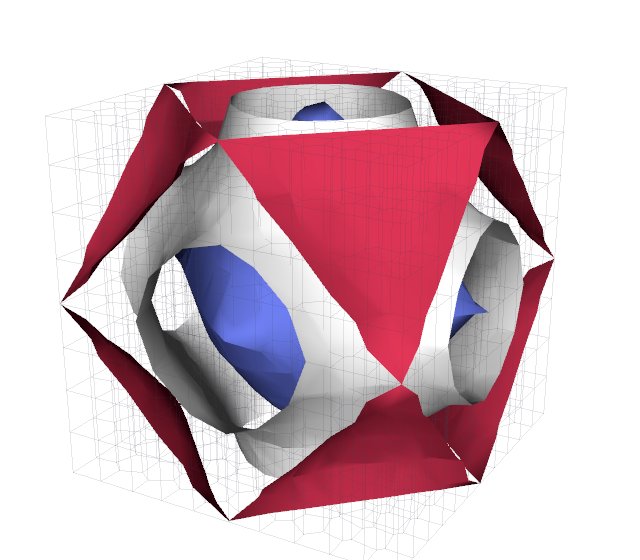
Polyhedra
-
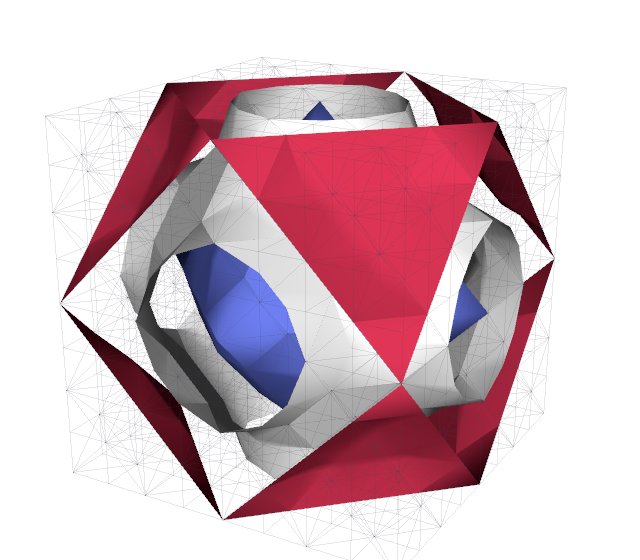
Tetrahedra
-
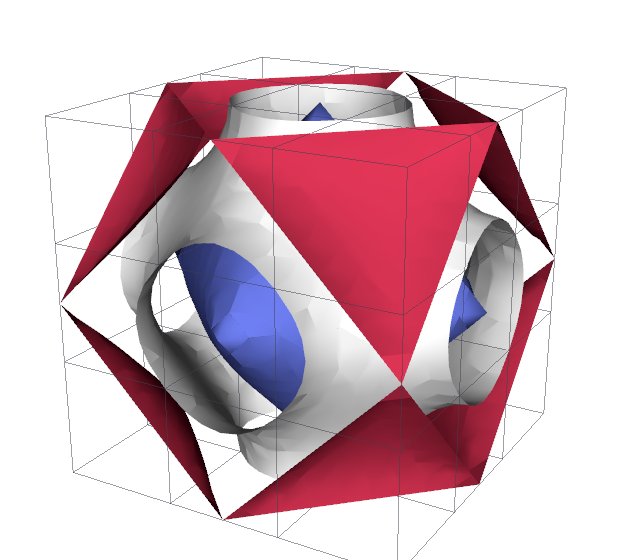
Order 4 on straight cells
-
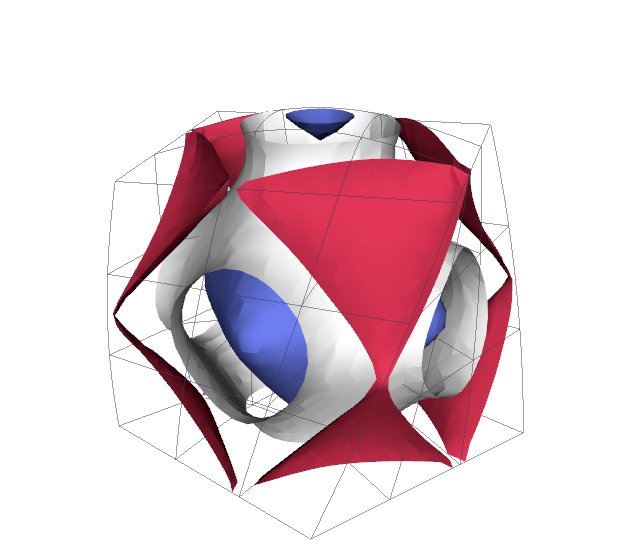
Order 3 on curved cells
# Every level in one pass; each triangle's level in the cell field
# "contour_value". High-order and curved cells are cut on linear sub-cells,
# crossings placed on the field itself (exact=True).
surfaces = td.contour(data, "u", LEVELS, subdivision=_scene.level(data))
Slice
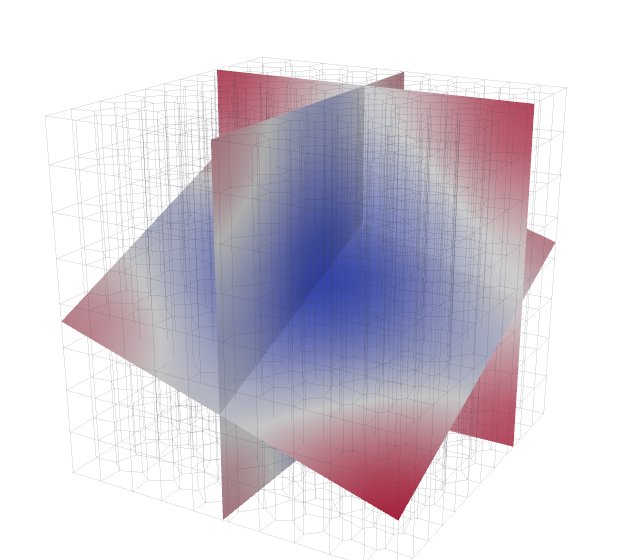
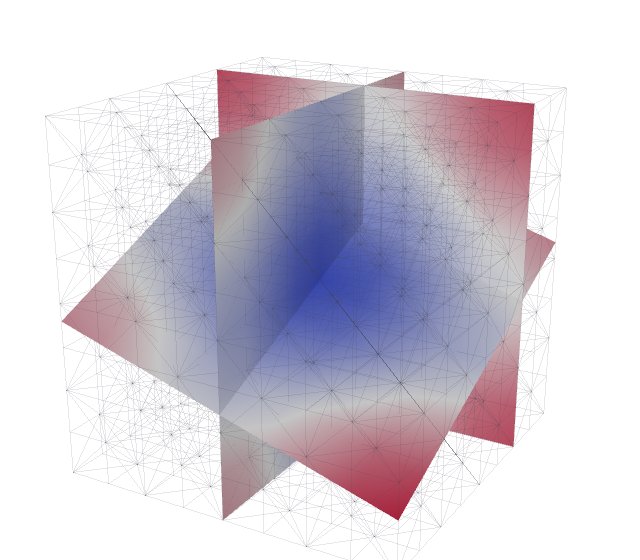
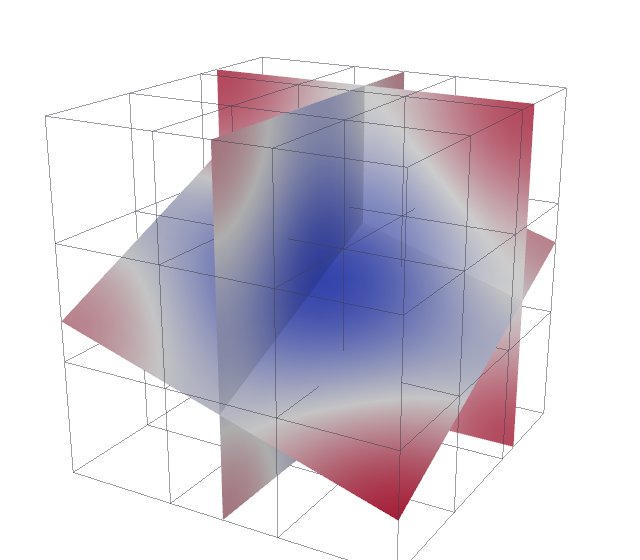
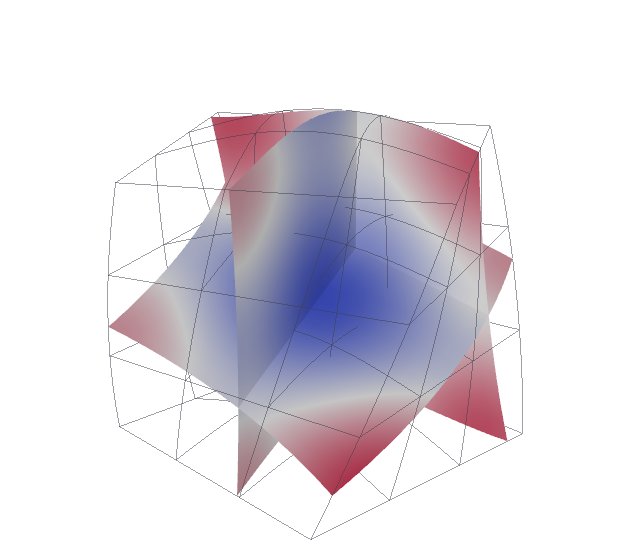
Three planes, colored by the field. On the curved cells the planes are cut through the twisted geometry, not through its corners.
-
Polyhedra
-
Tetrahedra
-
Order 4 on straight cells
-
Order 3 on curved cells
# Each plane an implicit function; the field carried onto the cut. A curved
# geometry or a high-order field is cut on linear sub-cells.
steps = _scene.level(data)                # 6, or None on linear cells
cuts = [td.slice(data, implicit.Plane(origin, normal), fields=["u"], subdivision=steps)
        for origin, normal in PLANES]
Clip
A ball about the cube's near top corner taken out, the kept part's surface colored by the field. Polyhedra are clipped cell by cell into polyhedra; on the high-order and curved cells, the cells wholly kept stay whole and only the cut ones are cut on sub-cells. An implicit function is cut as the geometry carries it: on the 27 straight hexahedra the ball is trilinear in each cell, a coarse ball, while on the order-3 curved cells it is cubic, round to the eye. The boundaries are shaded flat, since a clipped solid has sharp edges.
-
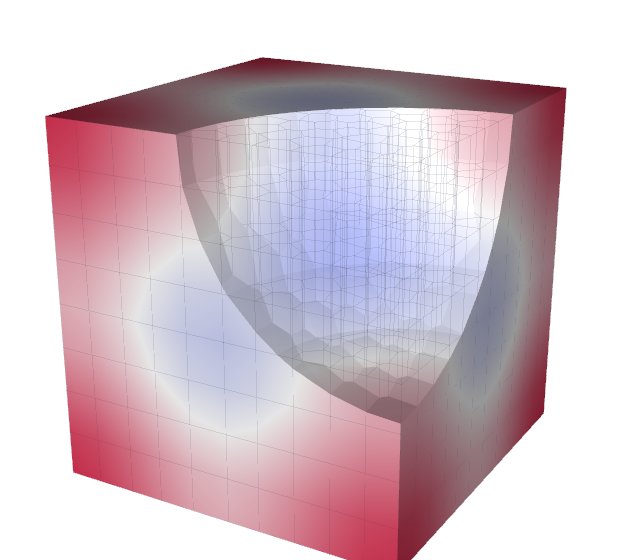
Polyhedra
-
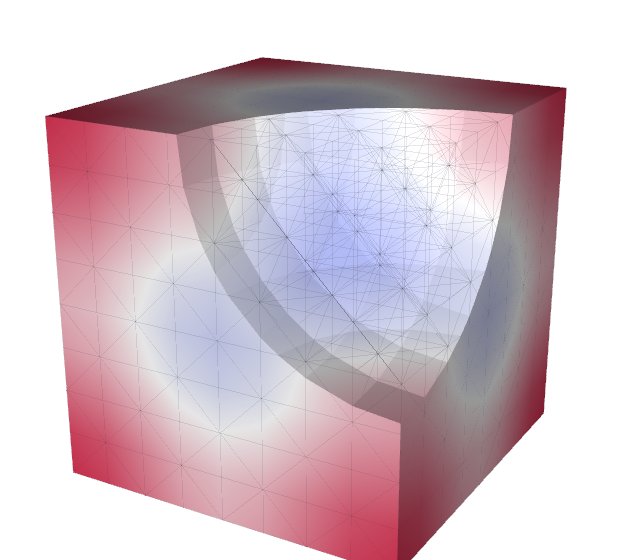
Tetrahedra
-
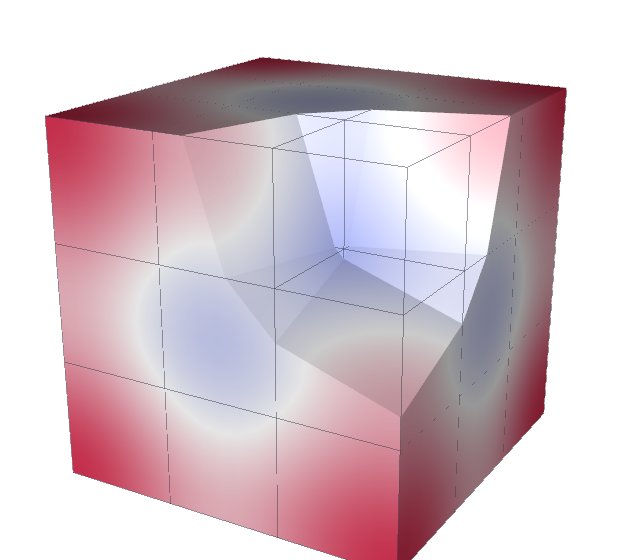
Order 4 on straight cells
-
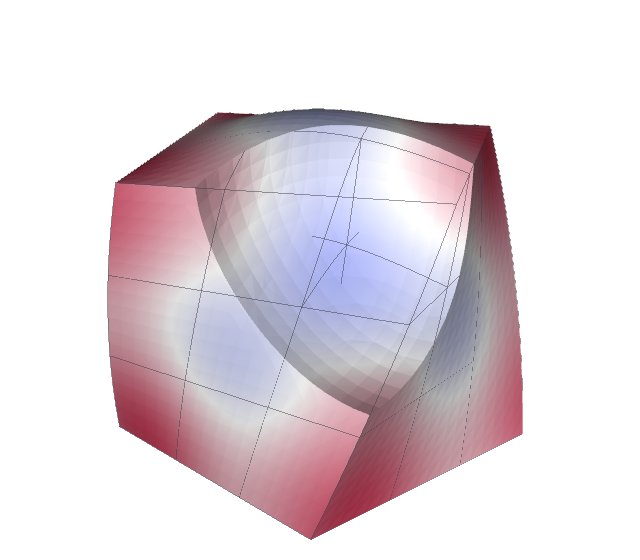
Order 3 on curved cells
# The part outside a ball about the cube's near top corner. On high-order or
# curved cells the cells wholly kept stay as they are and the cut ones are
# cut on linear sub-cells: a PartitionedDataSet of the two.
ball = implicit.Sphere(center=(1.0, 0.0, 1.0), radius=0.6)
kept = td.clip(data, ball, subdivision=_scene.level(data))
Threshold
The cells where the field is at least 1: blobs about the cube's corners, joined along its edges where the field stays above 1. Threshold keeps cells, never parts of them: on the high-order and curved cells the cells whose field's bounds lie in the range are kept whole, the others on their linear sub-cells, which is why their surfaces come in steps.
-
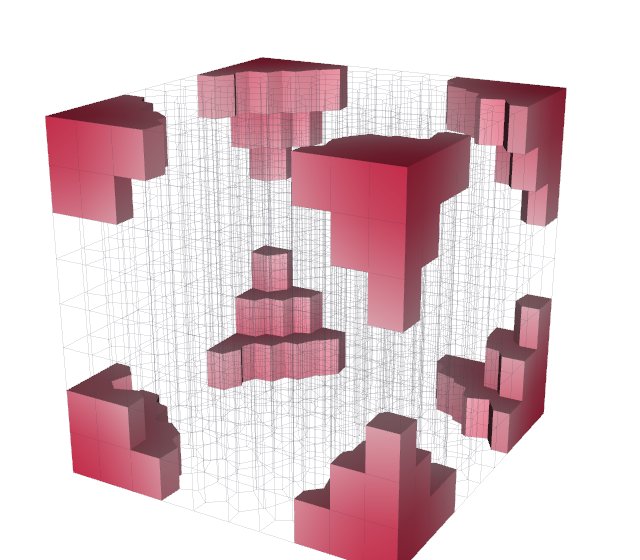
Polyhedra
-
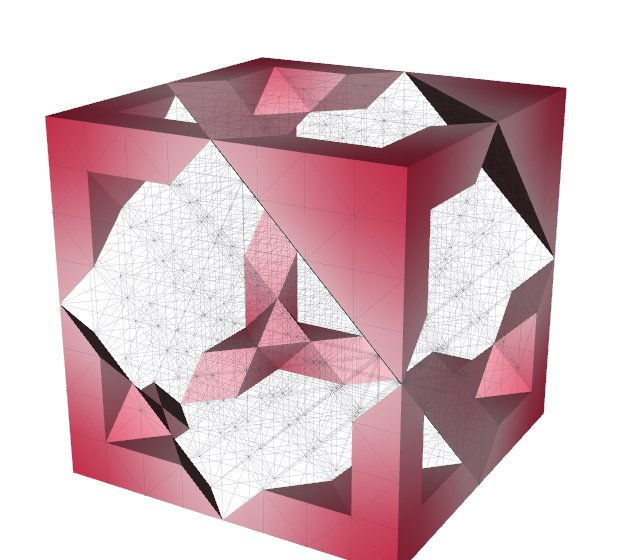
Tetrahedra
-
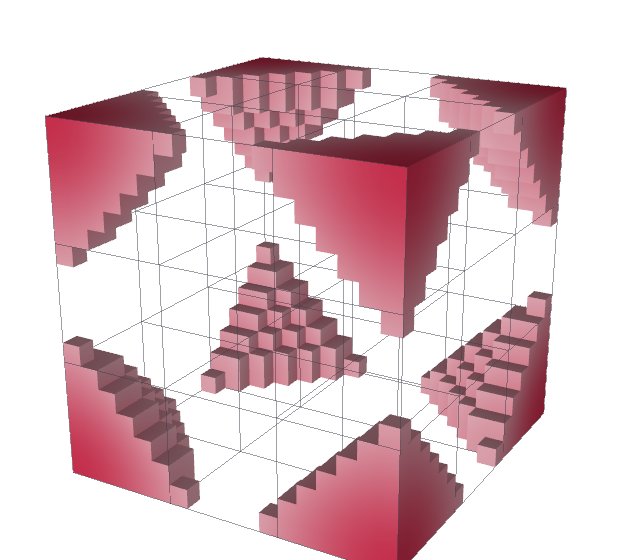
Order 4 on straight cells
-
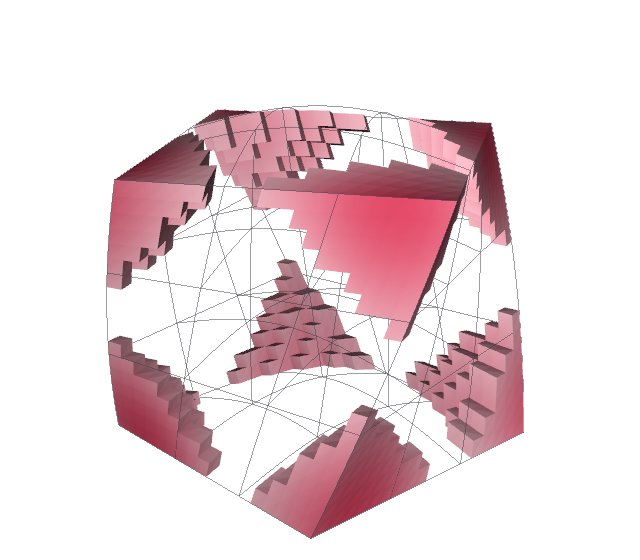
Order 3 on curved cells
# Linear cells are kept whole when every corner is in range. High-order and
# curved cells are kept whole when the field's bounds (its Bernstein
# coefficients) lie in range; the others are cut on linear sub-cells at the
# range's ends: a PartitionedDataSet of the two.
kept = td.threshold(data, "u", 1.0, 3.0, subdivision=_scene.level(data))
Surfaces and feature edges
The clip section's cube with a ball taken out: its boundary, and its feature edges -- where two faces turn by 30 degrees or more -- in red. On the curved cells the surface is subdivided, and the feature edges follow the cube's curved edges and the ball's rim, not the sub-faces between them.
-
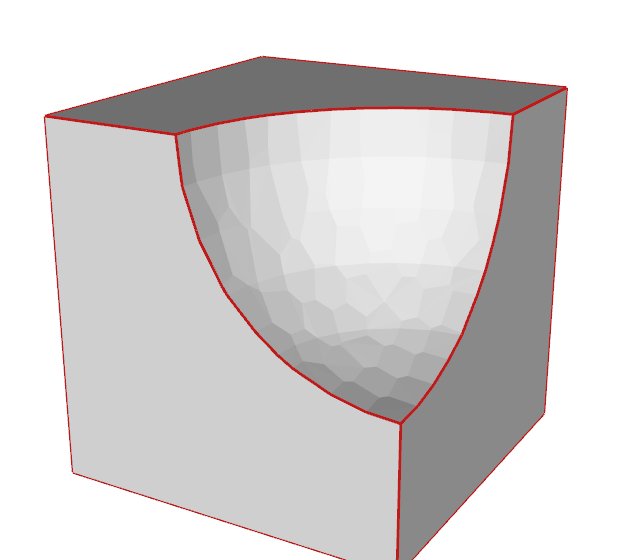
Polyhedra
-
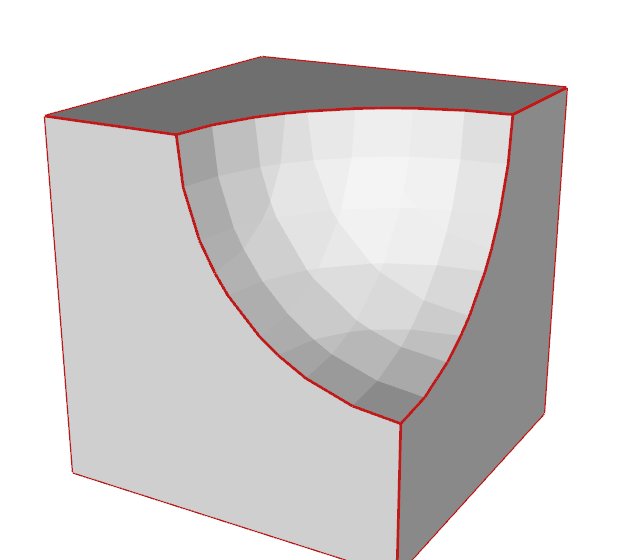
Tetrahedra
-
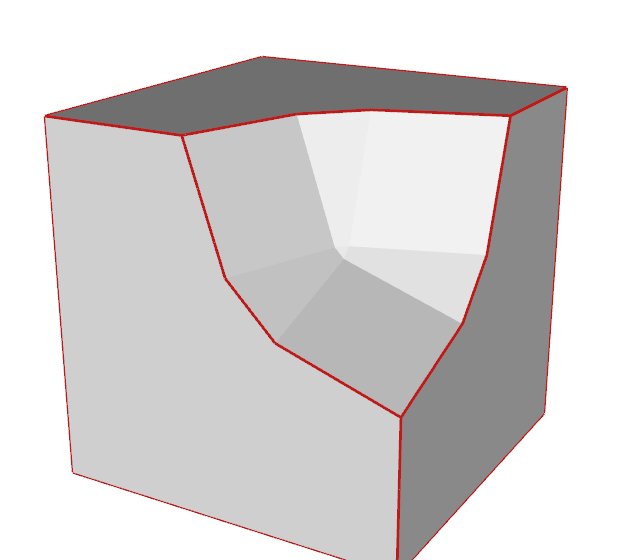
Order 4 on straight cells
-
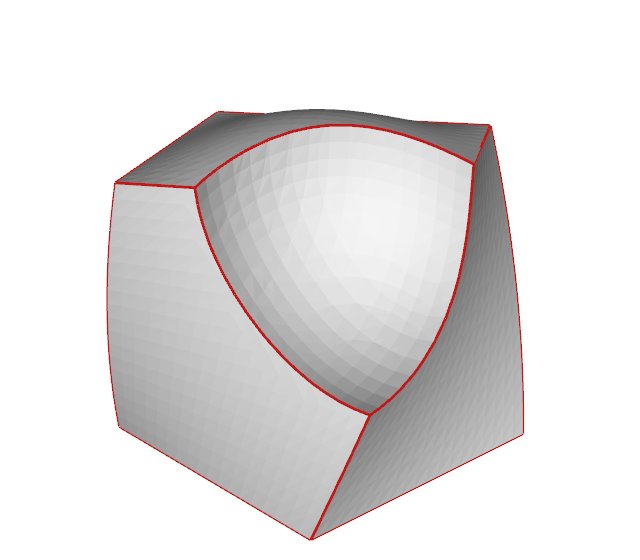
Order 3 on curved cells
# A high-order or curved part comes subdivided into linear cells first: the
# surface of its sub-cells, a polyhedral one's its polygons. The feature
# edges are VTK's: boundary, sharp (two faces' normals 30 degrees apart or
# more) and non-manifold edges, as lines with their kind.
surface = td.extract_surface(_scene.linear(kept))
edges = td.feature_edges(surface, angle=30.0)
Cell quality
Each cell's scaled Jacobian, red where poor (0 degenerate, below 0 inverted) and blue where ideal (1), on meshes whose inner points are moved at random, with the cells about a corner taken out. On the curved cells it is the least over the geometry's own Jacobian's samples. Polyhedra are left out: with no reference element, theirs is measured by the tetrahedra fanning them, on another scale (a cube as a polyhedron scores 0.58), and is read as a validity check -- positive when the cell is star-shaped -- comparing polyhedra only with each other.
-
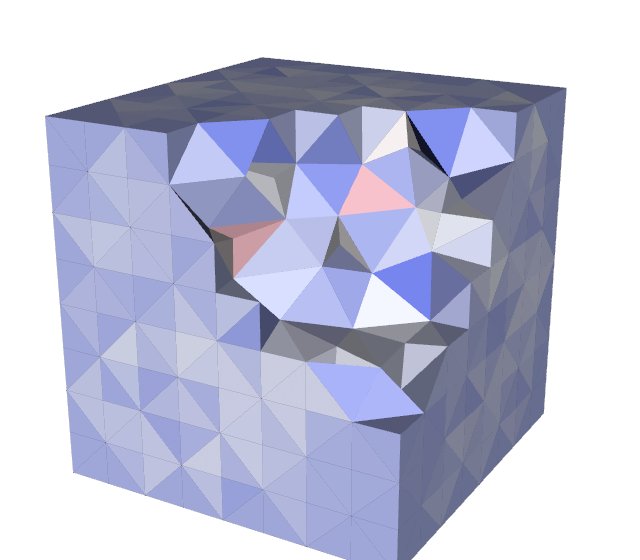
Tetrahedra
-
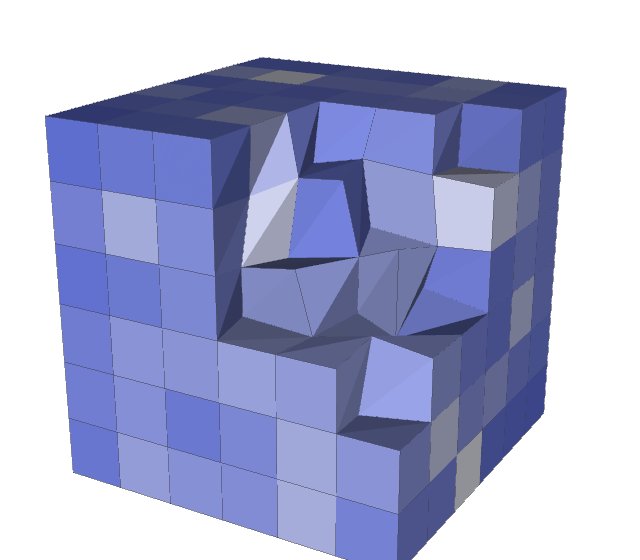
Hexahedra
-
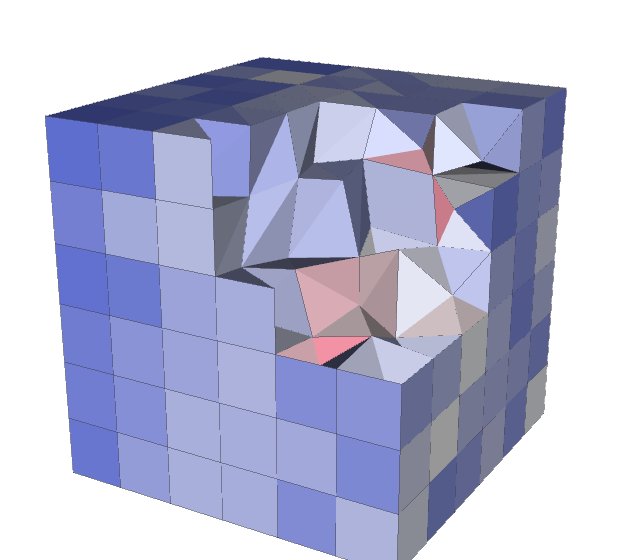
Hexahedra, wedges and pyramids
-
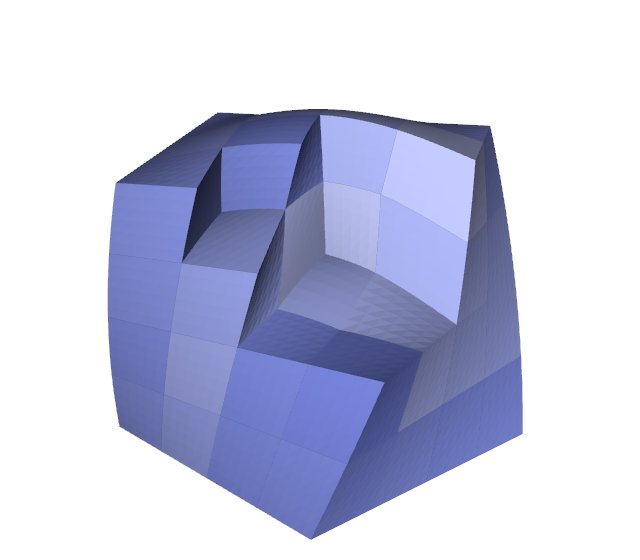
Order 3 on curved cells
# Verdict's measures generalized: on each shape from its ideal cell, on
# polyhedra from the tetrahedra fanning them, on a curved geometry at the
# samples of its own Jacobian.
data.fields["scaled_jacobian"] = td.cell_quality(data, ["scaled_jacobian"])[
    "scaled_jacobian"]
Gradients
The P surface colored by the length of the field's gradient. A linear field's
gradient is averaged to the points; a high-order field's is taken at the nodes of
an L2 space of its order (gradients(data, field, at=L2(...))), exact there, so
the surface keeps its peaks, which averaging to the points flattens.
-
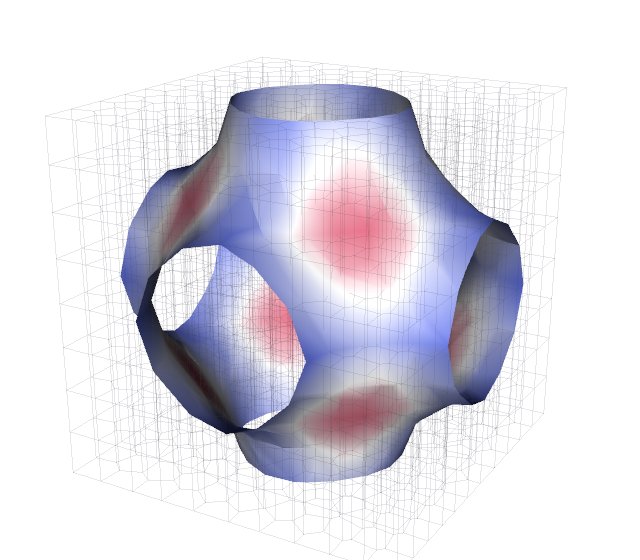
Polyhedra
-
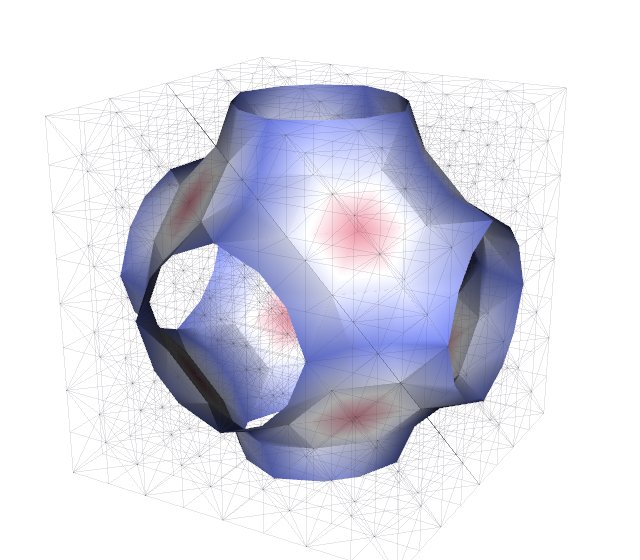
Tetrahedra
-
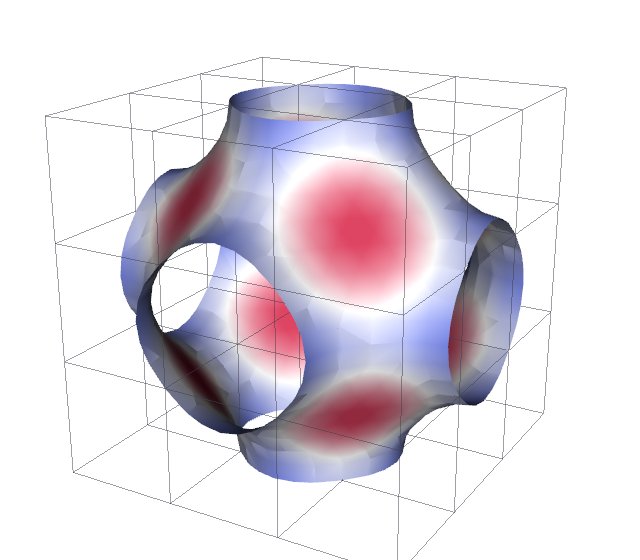
Order 4 on straight cells
-
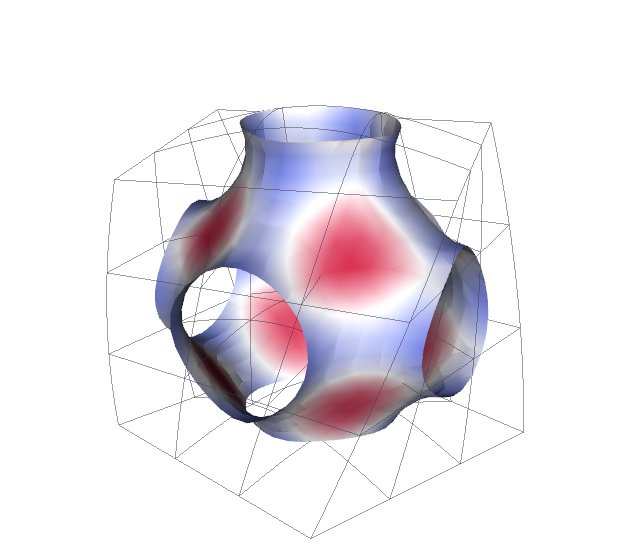
Order 3 on curved cells
u = data.fields["u"]
if u.space.order > 1:
    # Exact at the nodes of L2 of the field's order: discontinuous, one
    # value per node of each cell.
    at = td.L2(data, order=u.space.order)
else:
    # Each cell's gradient at its corners, averaged over the cells around
    # each point (VTK's and Viskores' point gradients).
    at = "points"
data.fields["slope"] = td.magnitude(data, td.gradients(data, "u", at=at))
surface = td.contour(data, "u", 0.0, fields=["slope"], subdivision=_scene.level(data))
Probe
The field sampled at the points of an image plane tilted through the cube and
wider than it, the points no cell holds left out (valid 0). Each point's cell is
found through the cell locator, a curved cell inverted by Newton's method from
its own geometry, so on the curved cells the plane's edge follows the curved
boundary. The plane is an image turned by transform, which keeps it an image.
-
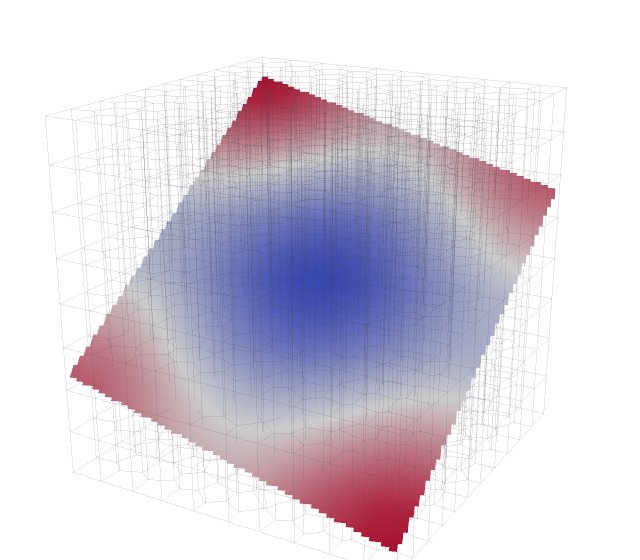
Polyhedra
-
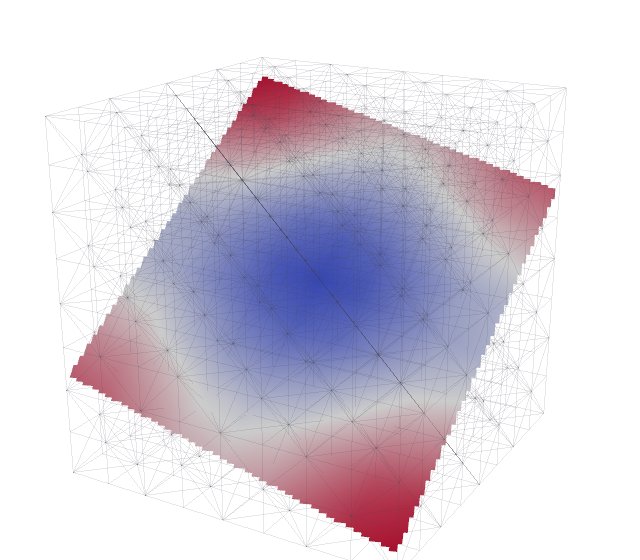
Tetrahedra
-
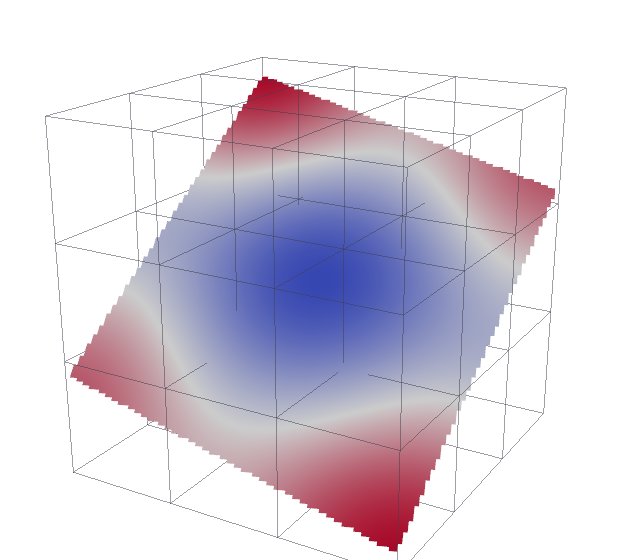
Order 4 on straight cells
-
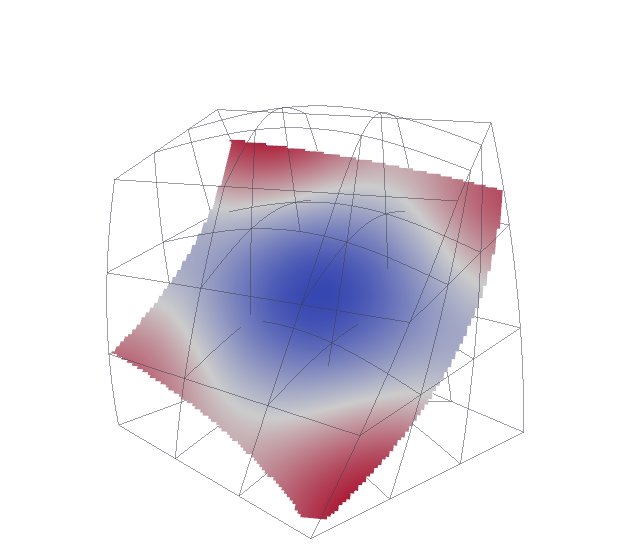
Order 3 on curved cells
# Each point's cell found through the cell locator (curved cells inverted by
# Newton's method from their own geometry), the field evaluated there;
# "valid" is 0 where no cell holds the point.
sampled = td.probe(data, plane(), fields=["u"])
held = td.threshold(sampled, "valid", 1, 1)
Subdivide
High-order and curved cells as the linear sub-cells the cutting filters cut and VTK can draw, 4 a side, every sub-cell's edges drawn: hexahedra into hexahedra, tetrahedra into Freudenthal's tetrahedra, wedges into layers of them. A lattice point shared by cells is computed once, from the edge or face it lies on.
-
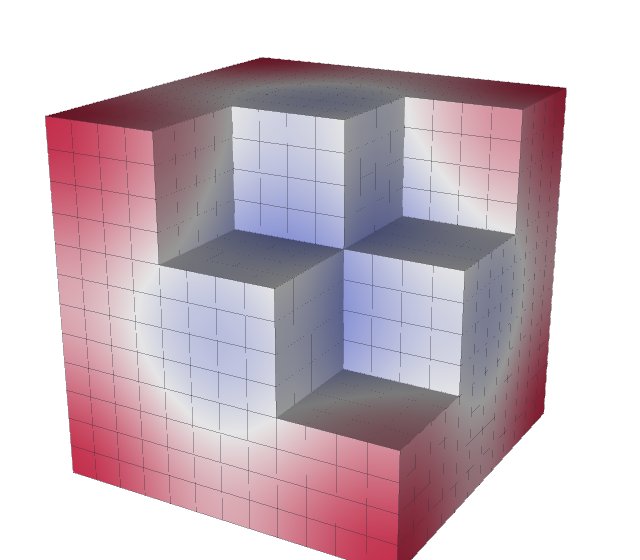
Order 4 on straight cells
-
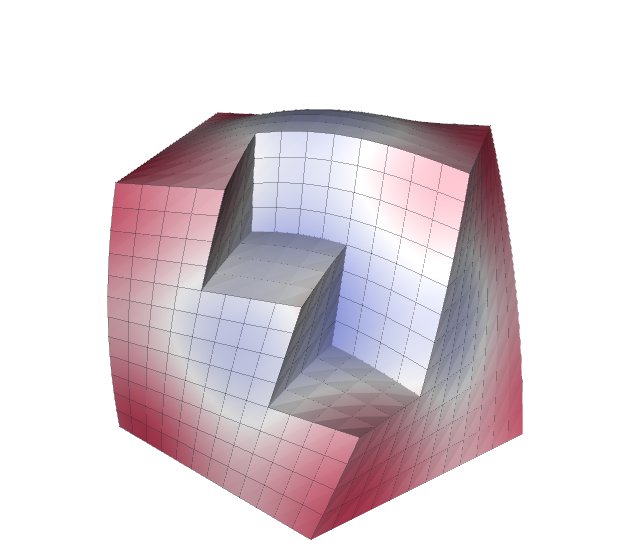
Order 3 on curved cells
-
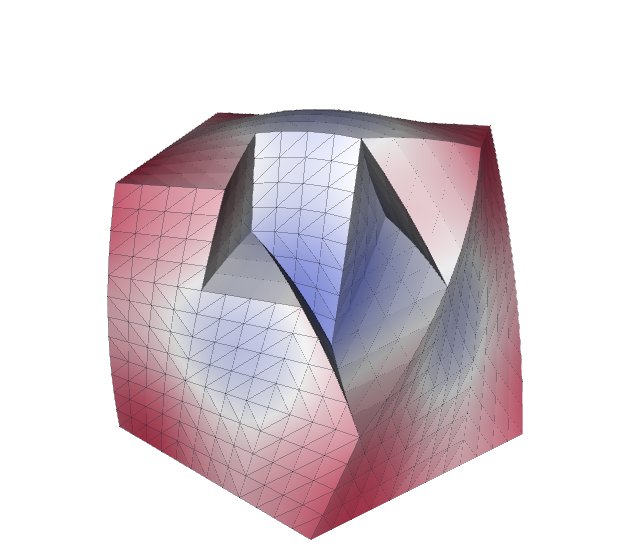
Order 2 on curved tetrahedra
-
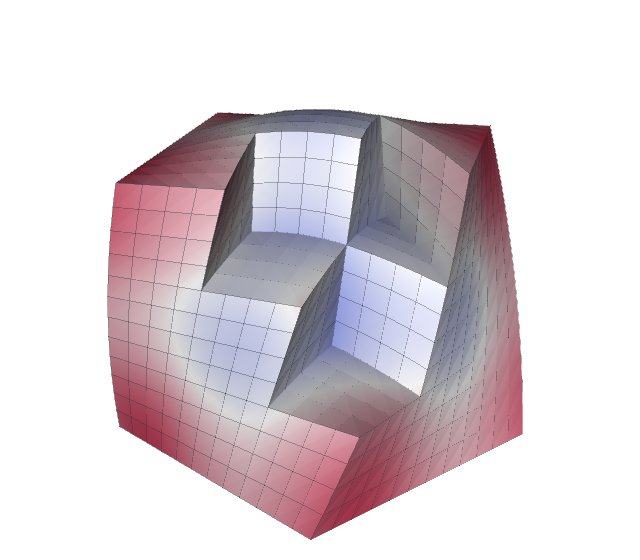
Order 2 on curved wedges
# Each cell's lattice of 4 steps a side: hexahedra into 64 hexahedra,
# tetrahedra into Freudenthal's 64 tetrahedra, wedges into layers of them.
# A lattice point shared by cells is one point, computed once, from the
# entity it lies on, so every piece holding it gets the same bits.
linear = td.subdivide(data, 4)
Pieces and ghost cells
Each mesh in eight pieces, one an octant of the cube (an image split into eight
blocks), each given a layer of its neighbours' cells as ghosts, and drawn pulled
apart: a piece's own cells in its color, its ghosts faint, reaching into the
pieces around it. Polyhedra are not drawn here, though ghost_cells takes
polyhedral pieces too (Filters over pieces).
Curved and high-order cells are not drawn either: ghost cells do not carry
their geometry and fields yet, so ghost_cells refuses them.
-
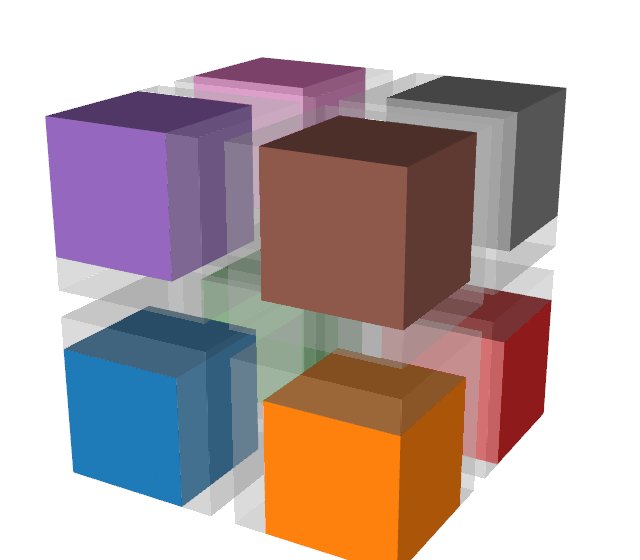
An image
-
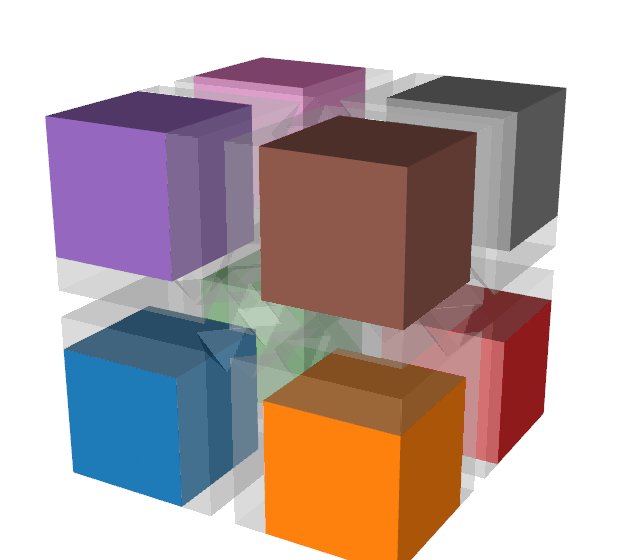
Tetrahedra
-
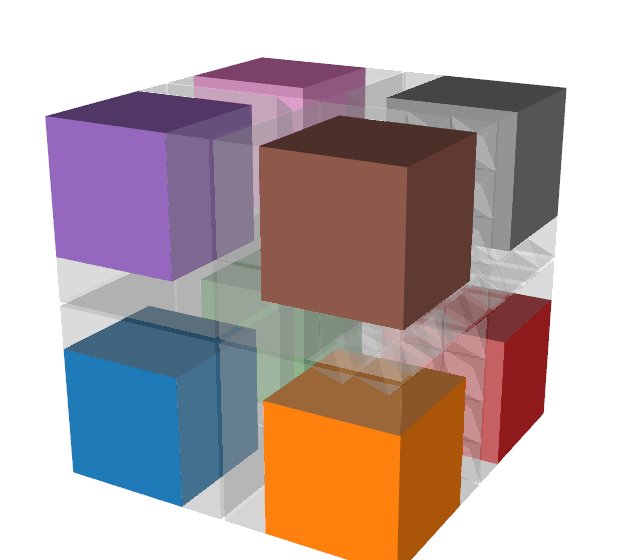
Hexahedra, wedges and pyramids
# Pieces neighbour where they share points; each gains the cells of the
# others that use a point it shares (marked DUPLICATECELL), and owns each
# shared point once. ghost_cells keeps the plans that update_ghosts reruns.
ghosted = td.ghost_cells(octants(data))
Flow
The flow sections carry particles through a swirl inside the cube:
divergence-free, its velocity along every face and never through one, so paths
wind round rather than leave. The velocity is interpolated into each kind's
space -- H1 of order 4 on the straight cells, order 3 on the curved ones --
and evaluated there, the curved cells inverted from their own geometry. Lines are
drawn as tubes and vectors as arrows that Tack makes: tubes (VTK's
vtkTubeFilter) and glyphs (vtkGlyph3D with its arrow).
The swirl
@tack.func
def swirl(x):
    """A swirl inside the unit cube: divergence-free, its velocity along every face
    (none through it), so paths wind round inside rather than leave."""
    k = math.pi
    sx, cx = tack.sin(k * x[0]), tack.cos(k * x[0])
    sy, cy = tack.sin(k * x[1]), tack.cos(k * x[1])
    sz, cz = tack.sin(k * x[2]), tack.cos(k * x[2])
    return [sx * cy - 0.5 * sx * cz, -cx * sy + 0.5 * sy * cz, 0.5 * sz * (cx - cy)]


@tack.func
def swirl_base(x):
    """The swirl's part about z (``swirl`` is it plus half of ``swirl_turn``)."""
    k = math.pi
    return [tack.sin(k * x[0]) * tack.cos(k * x[1]), -tack.cos(k * x[0]) * tack.sin(k * x[1]),
            0.0 * x[2]]


@tack.func
def swirl_turn(x):
    """The swirl's other part, divergence-free alone: weighted in time, the swirl
    unsteady."""
    k = math.pi
    sx, cx = tack.sin(k * x[0]), tack.cos(k * x[0])
    sy, cy = tack.sin(k * x[1]), tack.cos(k * x[1])
    sz, cz = tack.sin(k * x[2]), tack.cos(k * x[2])
    return [-sx * cz, sy * cz, sz * (cx - cy)]
Streamlines
Paths from 25 seeds across the cube, RK45 with its steps measured along the path, each stopped at length 1.4 (about one turn), as tubes colored by the time taken.
-
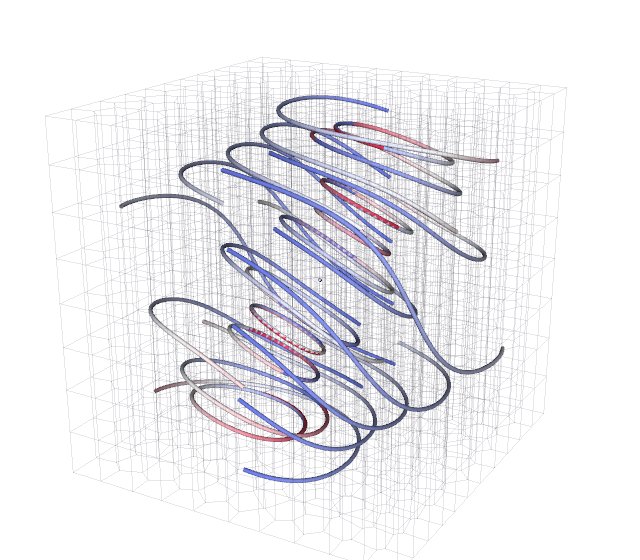
Polyhedra
-
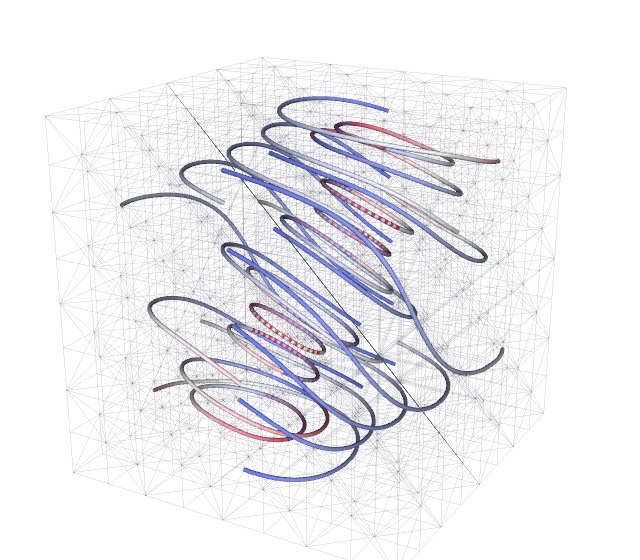
Tetrahedra
-
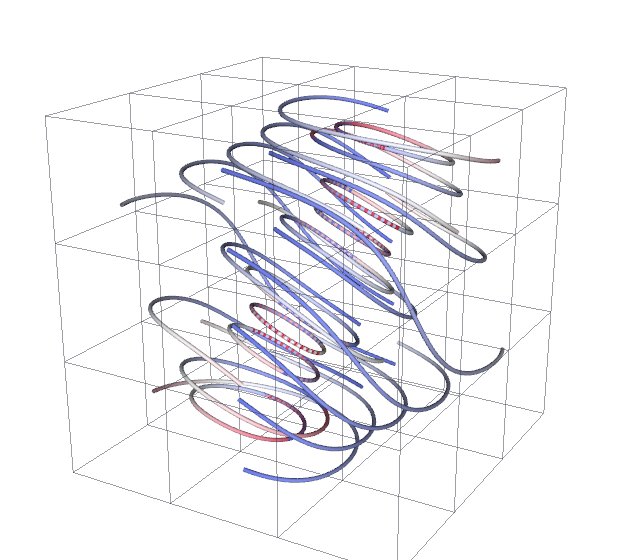
Order 4 on straight cells
-
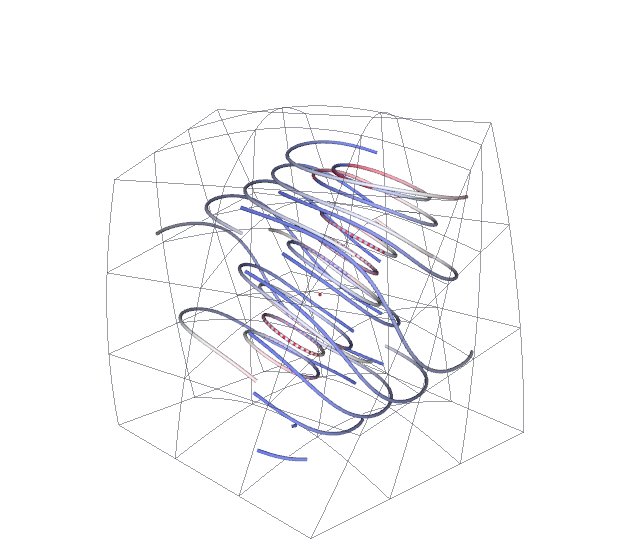
Order 3 on curved cells
# RK45 with steps measured along the path (as VTK's vtkStreamTracer): each
# step's error kept under the tolerance; a path ends where it leaves the
# mesh. The velocity is evaluated in its own space on each kind of cell,
# curved ones inverted from their geometry.
paths = td.streamlines(data, "v", SEEDS, 0.01, 300, integrator="rk45",
                       step_unit="length", tolerance=1e-5, max_length=1.4)
tubes = td.tubes(paths, 0.006, sides=10)
Glyphs
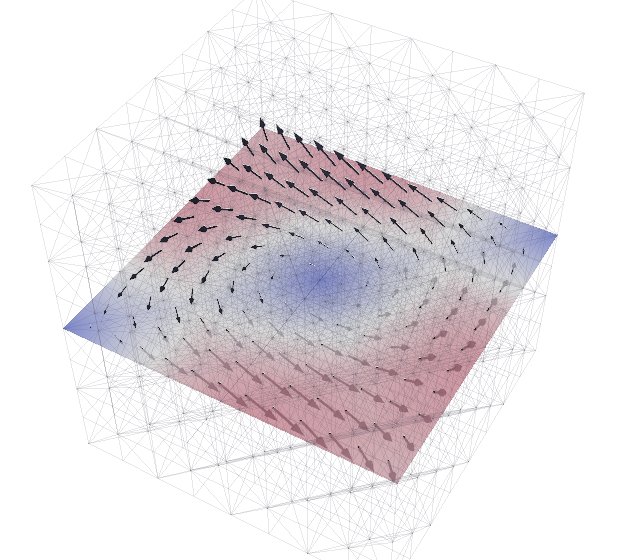
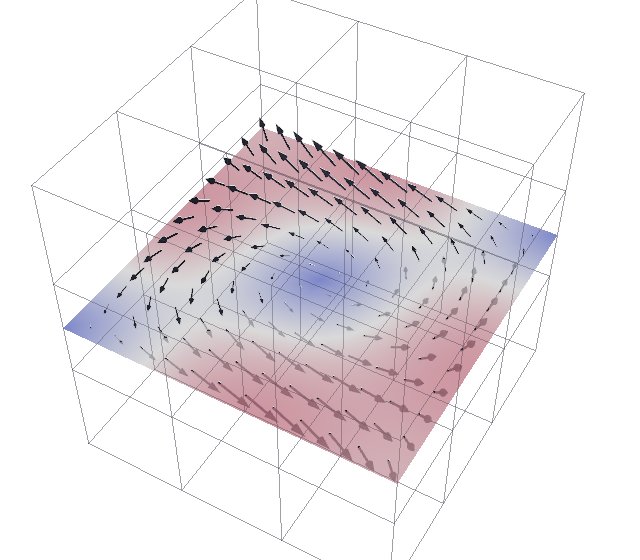
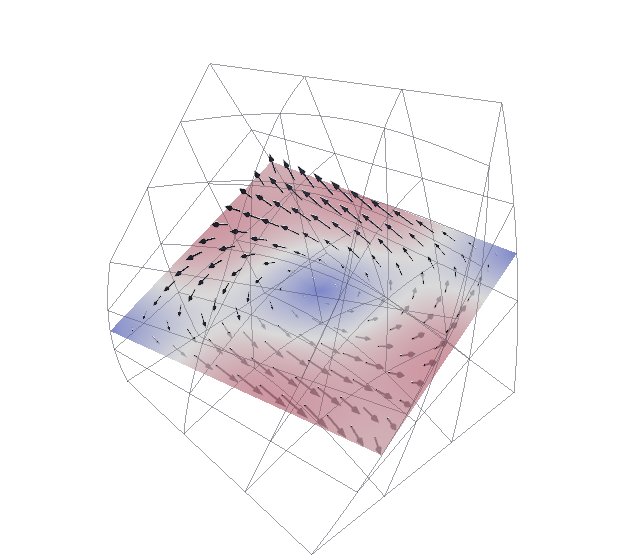
The velocity as arrows on a 12 x 12 lattice across the cube's middle, sampled by probe, over the slice there colored by speed.
-
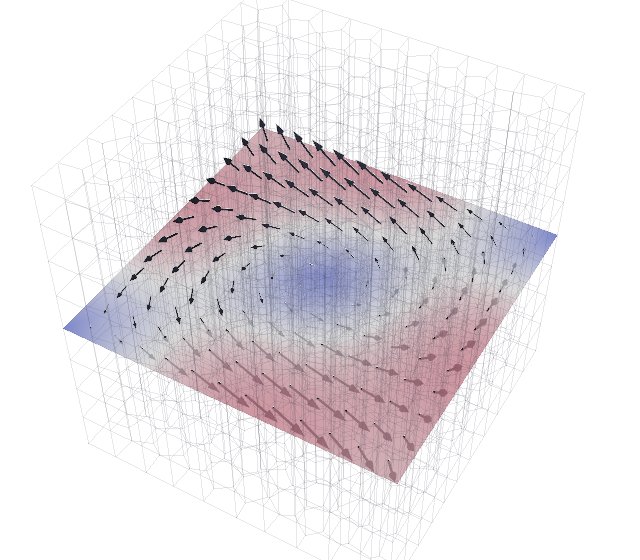
Polyhedra
-
Tetrahedra
-
Order 4 on straight cells
-
Order 3 on curved cells
# The velocity at the lattice's points (the points no cell holds dropped),
# an arrow at each, 0.1 long at unit speed, and the slice beneath.
sampled = td.probe(data, lattice(), fields=["v"])
held = td.threshold(sampled, "valid", 1, 1)
held.fields["speed"] = td.magnitude(held, "v")
shafts = td.glyphs(held, "v", scale=0.1)
plane = td.slice(data, implicit.Plane((0.5, 0.5, 0.5), (0.0, 0.0, 1.0)), fields=["v"],
                 subdivision=_scene.level(data))
plane.fields["speed"] = td.magnitude(plane, "v")
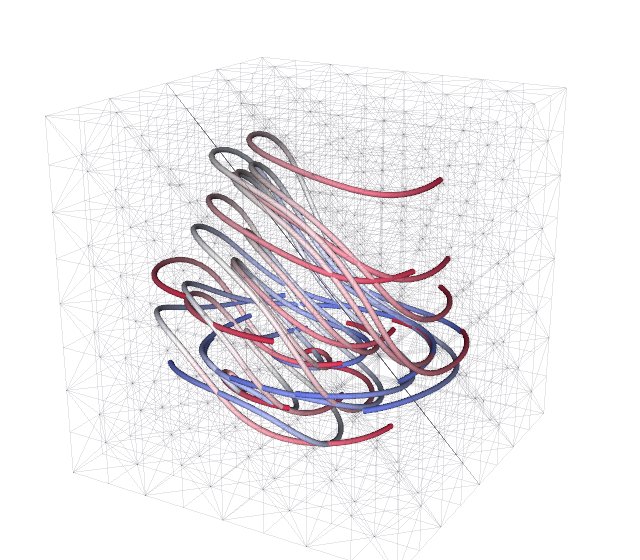
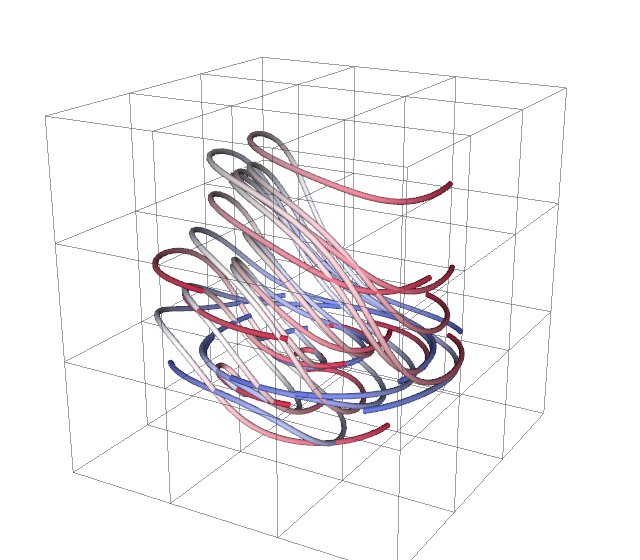
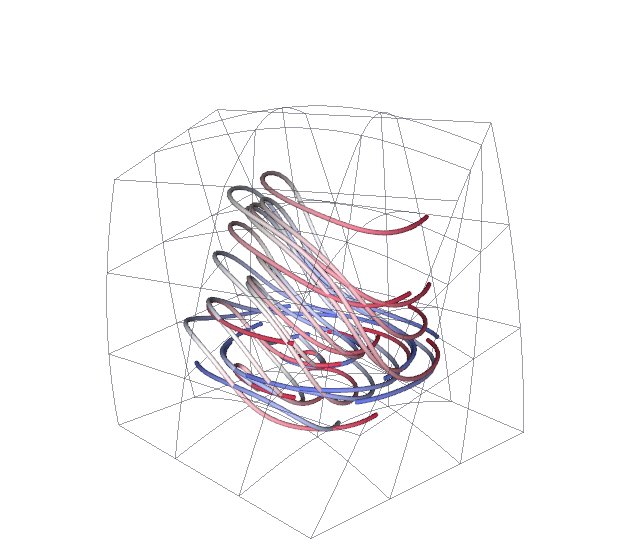
Pathlines
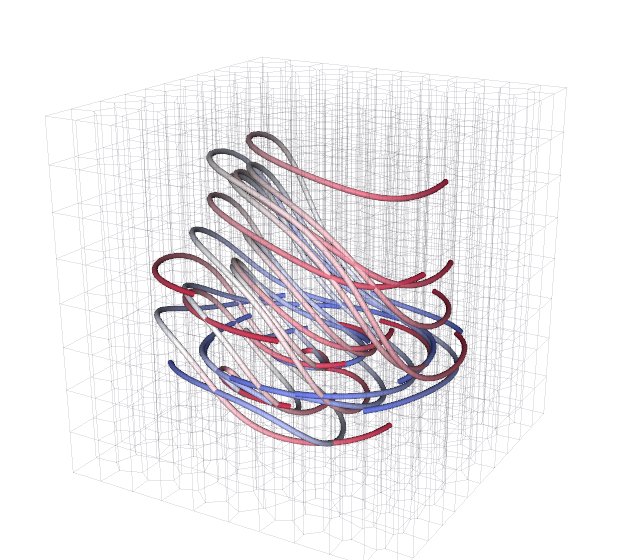
Particles through an unsteady swirl, its second part's weight rising from 0 to 1
and back over 60 steps: the temporal filter Pathlines takes each step's dataset
and moves every particle to the step's time, the velocity linear in time between
steps. Each path is a tube colored by time.
-
Polyhedra
-
Tetrahedra
-
Order 4 on straight cells
-
Order 3 on curved cells
# A temporal filter: each update takes a step's dataset and moves every
# particle from its time to the step's, the velocity linear in time
# between the steps, in RK4 substeps of at most step_size.
paths = td.Pathlines("v", seeds=SEEDS, step_size=0.025)
for k in range(STEPS + 1):
    lines = paths.update(step(data, base, turn, k))
tubes = td.tubes(lines, 0.008, sides=10)