

Supercomputing Conference 2025
October 21, 2025
November 16–21, 2025 in St. Louis, Missouri
Each year, Supercomputing (SC) brings together the world’s leaders in high-performance computing to share groundbreaking advances in hardware, software, and scientific innovation. Kitware is proud to return as a long-time exhibitor, showcasing how interactive visual workflows are redefining what’s possible in HPC, AI, and large-scale simulation.
Our open source ecosystem, including ParaView, Catalyst, and trame, empowers scientists, engineers, and organizations to turn complex data into insights faster. Visit us at Booth #1011 or contact our team to see how we can make your workflows more efficient.
Solving Today’s HPC Bottlenecks with Visual Workflows
Modern HPC workflows face integration, collaboration, and scalability barriers that slow progress from computation to insight. Kitware’s interactive visual workflows eliminate these obstacles through open source, modular solutions built for performance and accessibility.
| Common Challenge | Kitware’s Solutions |
|---|---|
| Fragmented Workflows: AI, simulation, and experimental systems rarely interoperate smoothly, leading to manual workarounds and lost productivity. | Democratization of Advanced Capabilities: Empower entire teams to explore, visualize, and interpret data interactively across web, desktop, and Jupyter. |
| Bottlenecks: Knowledge transfer between simulation developers and engineers is slow and inefficient, and tools are often either too simple or too complex. | Seamless Expertise Transfer: Interactive visual workflows facilitate more speedy expertise transfer and provide customizable, domain-specific environments that allow experts and non-experts to engage productively without unnecessary complexity. |
| Rigid Tools: Static tools limit interactivity, making it hard to validate results or communicate findings effectively. | Accelerated Insight and Communication: Interactive visual workflows accelerate discovery and facilitate the communication of insights across diverse audiences, enabling more informed and collaborative decision-making. |
| Long Post-Processing Cycles: Complex workflows and fragmented tools often result in lengthy delays between data generation and actionable insights. While simulations, experiments, or AI runs may finish in only weeks, the analysis and visualization of their results can take months. | Shorter Time-to-Discovery: Integrated, interactive visual workflows shorten the path from raw data to understanding. By reducing months of post-processing into immediate, adaptive visual exploration, they enable faster prototyping, validation, and decision-making. |
A Platform Built for Performance and Flexibility
At Kitware, we’re evolving the visualization ecosystem to support the next generation of HPC workloads. Our modular platform brings together decades of open source innovation to deliver performance, scalability, and interactivity at every level of the stack, from the backend frameworks to the front-end:
- A comprehensive set of libraries with VTK for I/O, data models, analysis, rendering, and graphics.
- Visualize at scale with ParaView, which handles massive datasets, ensures high performance, and provides the visualization backbone needed for both experts and non-experts to interrogate complex results.
- Enable interactive workflows and asset management with SMTK, enabling users to define, track, and reuse workflow resources. SMTK supports flexible integration with other frameworks, enabling interactive workflows that connect setup, execution, analysis, and visualization, as well as providing ways of decomposing a workflow into a set of interactive tasks.
- Integrate in situ analysis with Catalyst to process data as it’s generated, reducing I/O, eliminating data bottlenecks, and enabling real-time performance visualization.
- A run-everywhere front-end with trame that lowers technical barriers, supports rapid development, and ensures interoperability between front-end and computational backend frameworks.
Together, these technologies form a modular, interoperable platform built on decades of open source innovation. The result: adaptive, interactive workflows that can keep up with the pace of computation.
Real-World Impact Across Domains
The true power of visual workflows is best seen in action. Kitware’s open source platforms are already accelerating discovery and efficiency across industries and research organizations worldwide.
Each example demonstrates how integrating visualization and simulation within adaptive visual workflows leads to faster validation, better resource utilization, and accelerated innovation.
 |  |  |
 |  |  |
 |  |  |
 |  |  |
 |  |  |
 |  |  |
 |
The power of this platform is best understood through concrete use cases. By combining run-everywhere front ends, trame, robust backend frameworks, and production-ready desktop applications, researchers can assemble visual workflows that address real challenges. The following examples illustrate how these components work together to manage massive datasets, streamline data movement, connect simulations with analysis, and simplify complex workflows into environments that accelerate discovery.
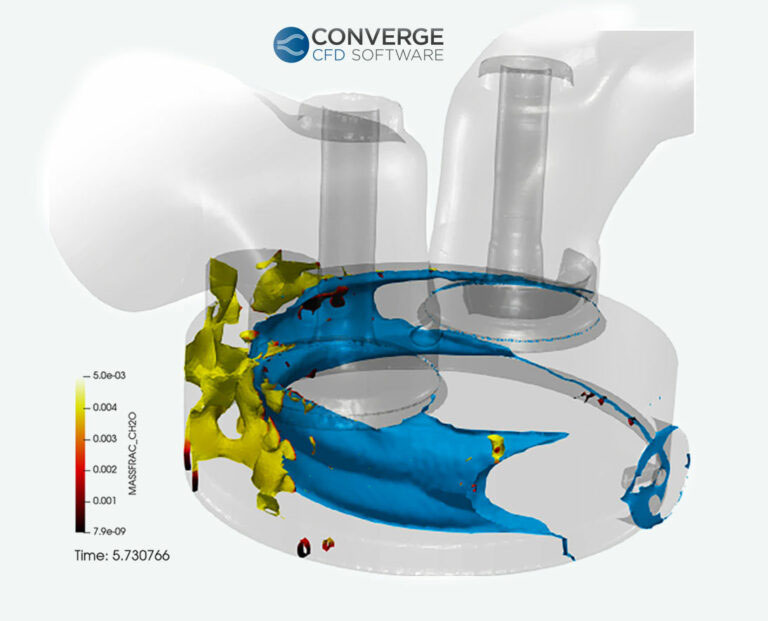
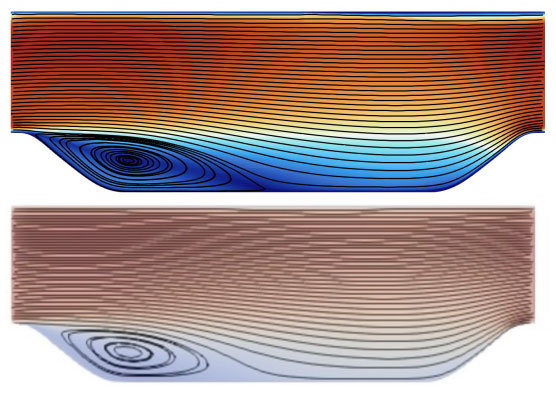
Convergent Science uses ParaView and Catalyst in their CONVERGE software to improve capture of high-speed physical phenomena inside internal combustion engines such as knocking. Catalyst allows saving isosurfaces at a rate much higher than is possible than saving full datasets and can reduce file output from ~100 gigabytes to ~100 megabytes in a typical simulation. Read the blog post In Situ Data Analysis Brings Faster Results and Accelerated Insights to find out more.
Frameworks used: ParaView, Catalyst
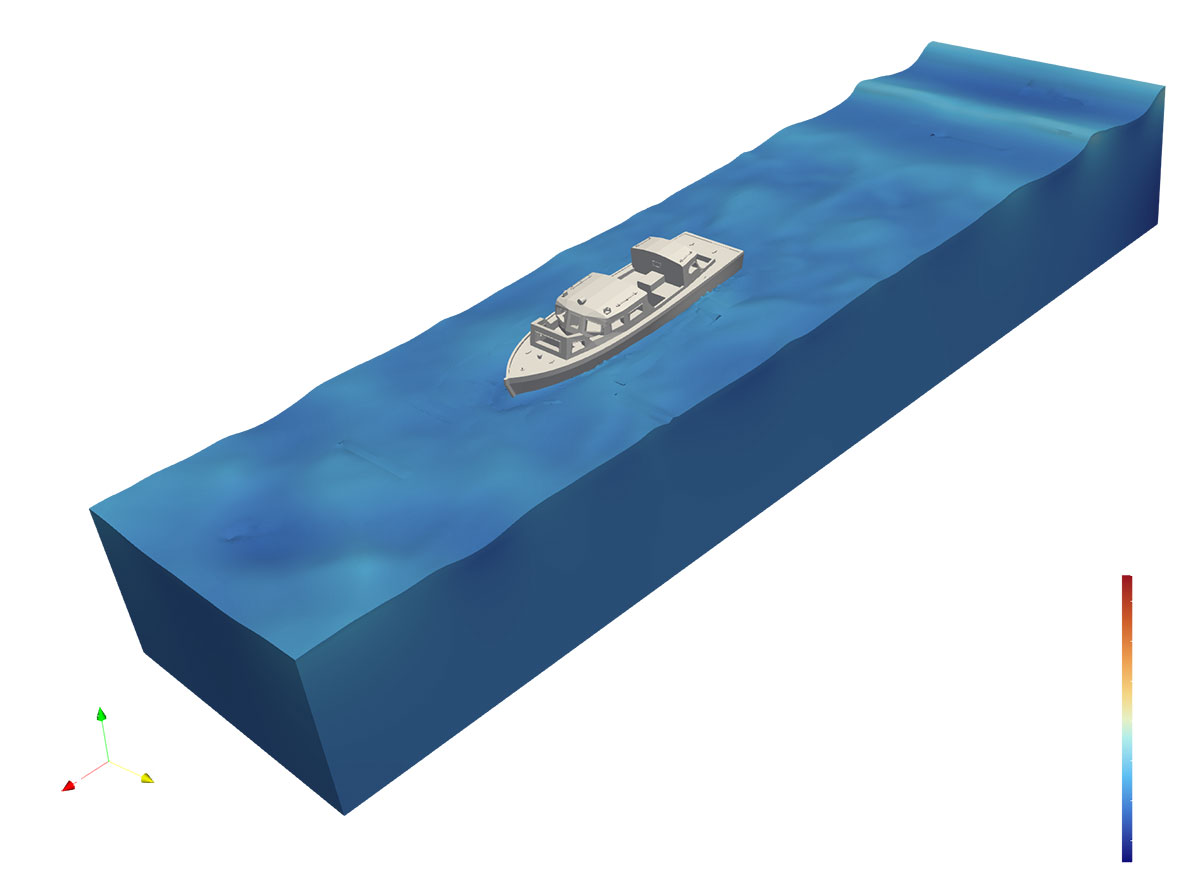
This figure shows an OpenFoam simulation of a boat inside a virtual wave tank. The application was created for Sandia National Laboratories’ Water Power Technologies Program. Applications like this can greatly reduce expenses – compared to either a physical wave tank or the manual creation of simulation inputs.
Frameworks used: SMTK, CMB, VTK, ParaView.
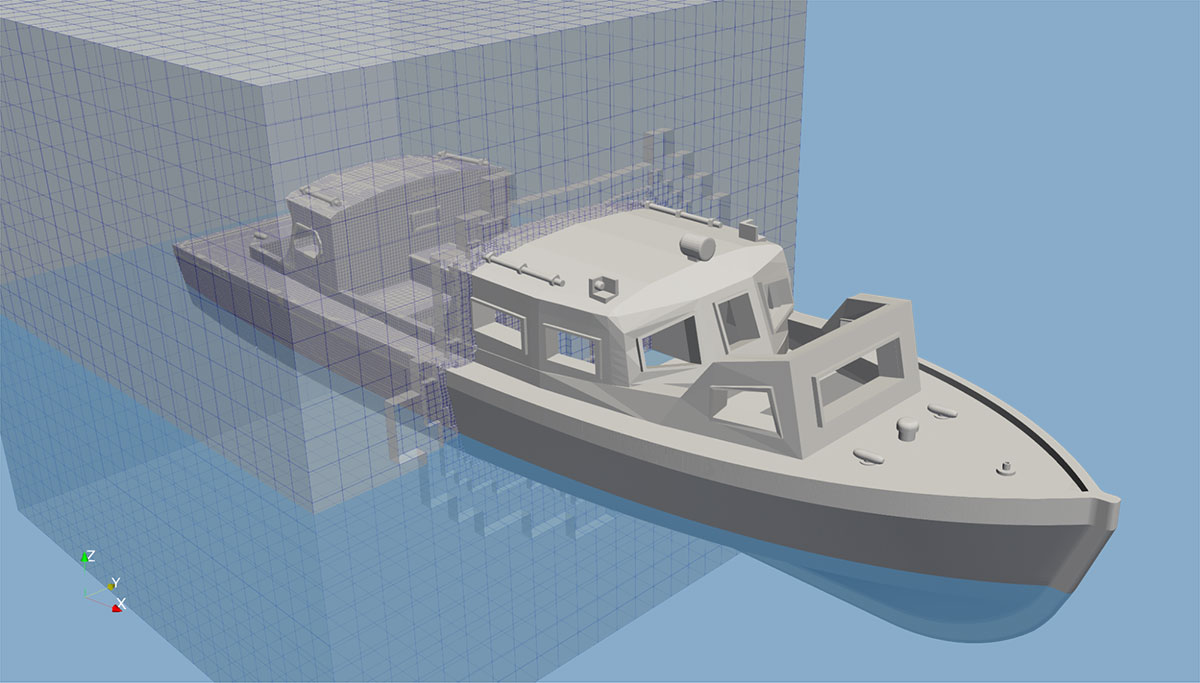
This figure shows an OpenFOAM workflow Kitware created for Sandia National Laboratories to evaluate the reactions of objects to wave motion. What’s shown is a ship being inserted into the tank. The box around the aft portion of the vessel is a preview of the OpenFOAM overset mesh (snapped to the ship exterior) that has been crinkle-clipped to reveal the forward part of the ship.This allows inspection of meshes before running a simulation.
Frameworks used: SMTK, VTK, ParaView
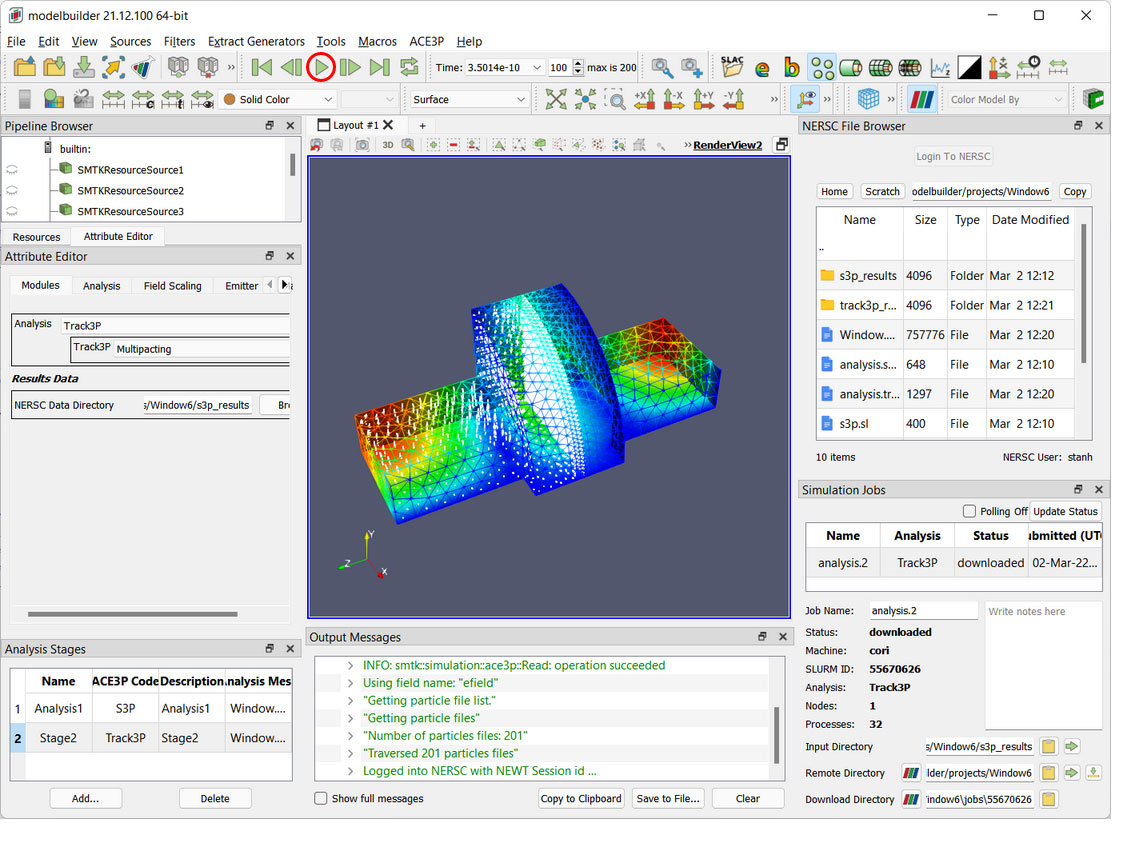
Simulation workflows often demand diverse computational resources. For instance, a high-energy physics workflow, leveraging SLAC’s Advanced Computational Electromagnetics 3D Parallel (ACE3P) tools, is employed in the design of particle accelerators and related instrumentation. In this scenario, the user initiates the workflow on their local machine, while the intensive computations are executed on the High-Performance Computing (HPC) resources at NERSC. Users have the flexibility to perform remote post-processing on the HPC machine or conveniently transfer results for local processing, all within the same integrated tool.
Frameworks used: SMTK, CMB, ParaView, VTK
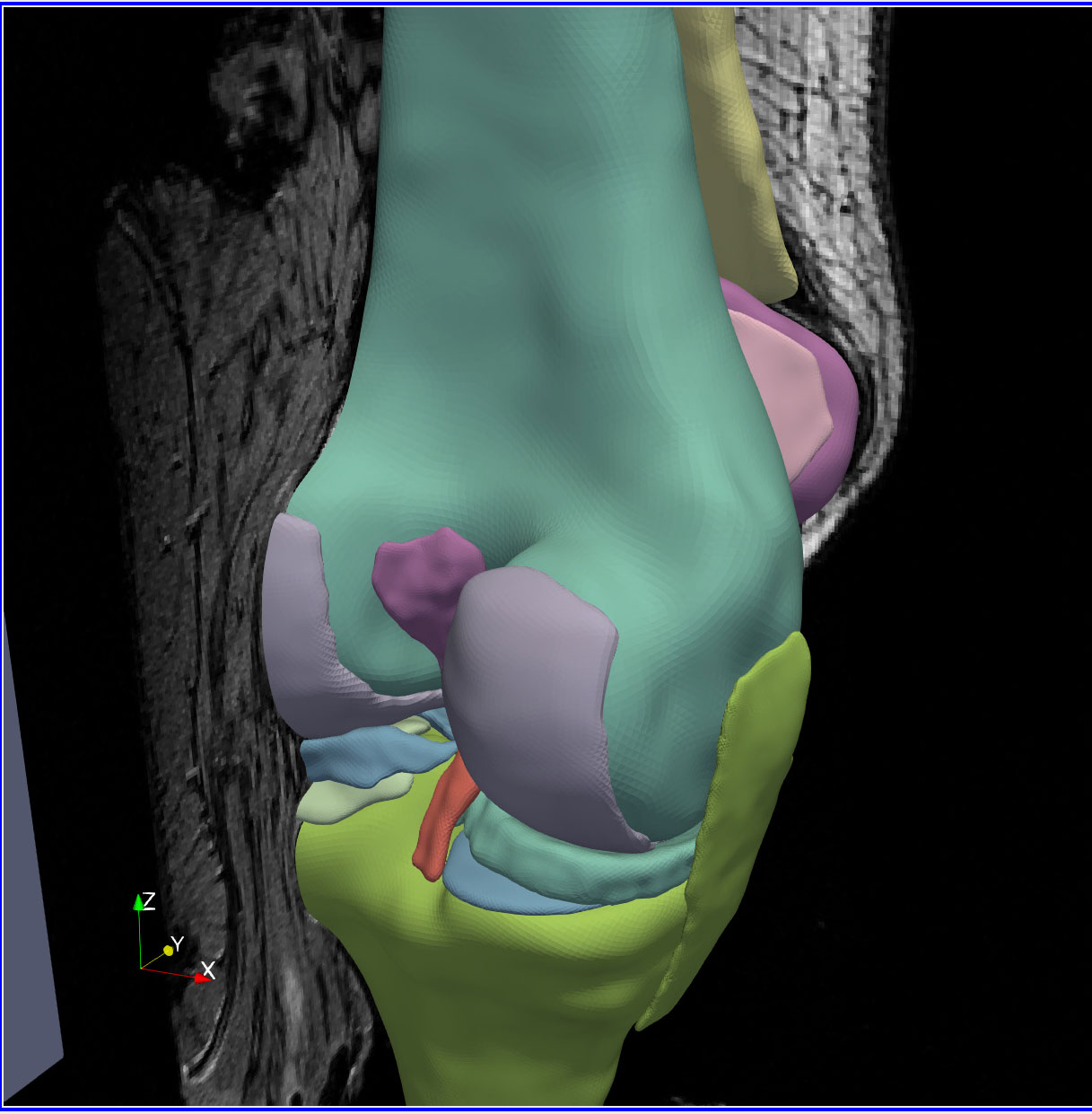
Developed for the Cleveland Clinic, this workflow showcases the intricate process of creating and annotating anatomical models. This involves segmenting and processing medical images and meshes. Users needed efficient ways to create and edit surface selections, remesh surfaces, and generate volumetric meshes from them, as well as to incorporate detailed ontologies into the annotation process.
Frameworks used: SMTK, CMB, ParaView, VTK
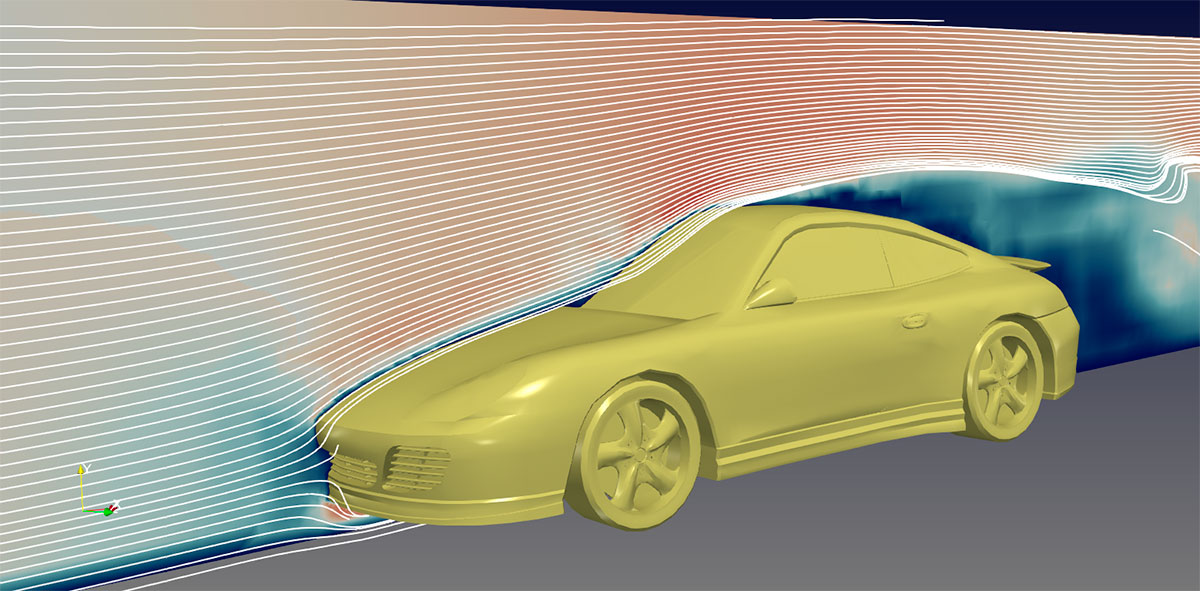
Computational fluid dynamics workflows, like OpenFOAM-based wind tunnel simulation shown above, require users to perform various tasks: problem setup, mesh generation, simulation processing, and post-processing. Decomposing these complex workflows into manageable, guided tasks is crucial for effective user management.
Frameworks used: VTK, CMB ParaView, SMTK.
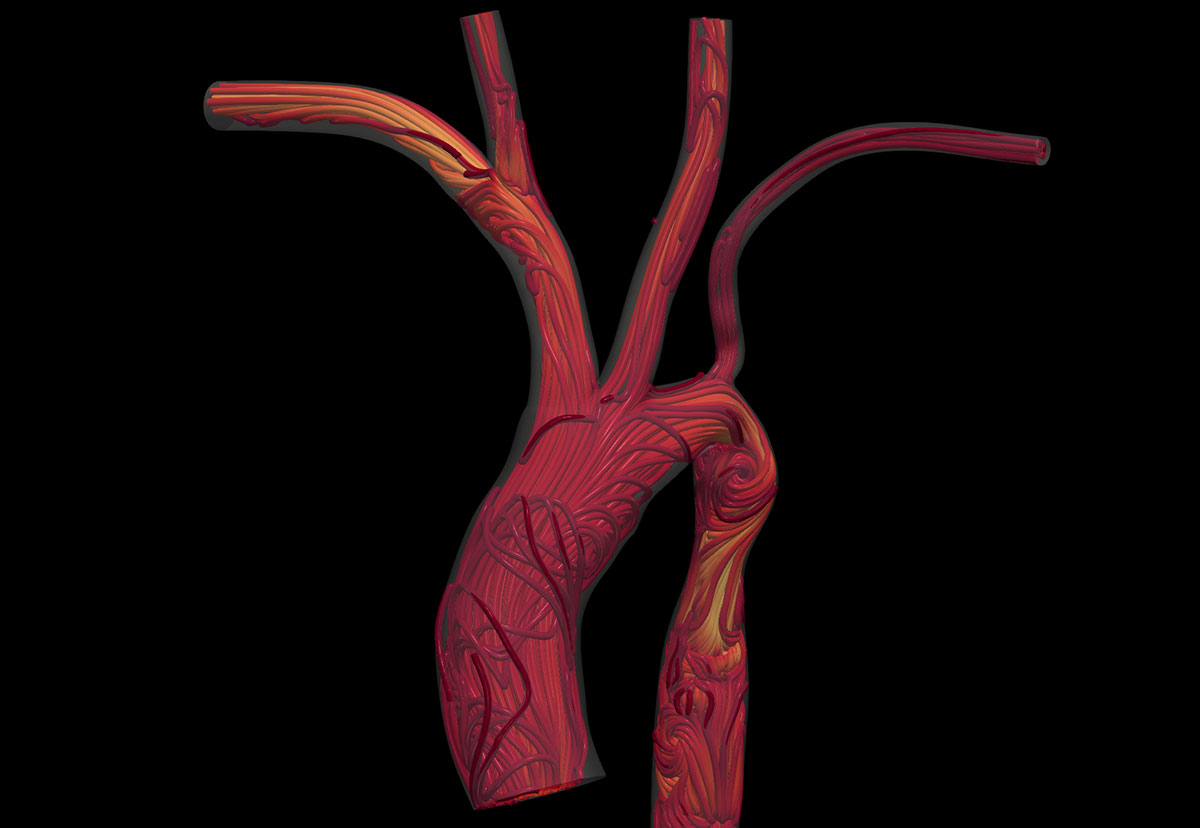
Computational fluid dynamics (CFD) is integral to whole-body circulatory system workflows, supporting the development of new surgical procedures and patient health monitoring. These workflows often run continuously, necessitating in situ visualization for real-time observation by physicians and researchers.
The accompanying images illustrate work from the Randles Lab at Duke University, where methods for whole-body circulatory system simulation are being developed, modeling down to individual blood cells using the HARVEY fluid dynamics solver. The video showcases blood flow within a representative human aorta, originating at the ascending aorta, traversing the aortic arch, and concluding at the descending aorta. As the fluid enters the aortic arch, it diverges into the right and left subclavian and common arteries. To mimic in vivo circulation, the flow constantly pulses throughout the animation. Frameworks used: ParaView, ParaView Catalyst
Frameworks used: ParaView, Catalyst
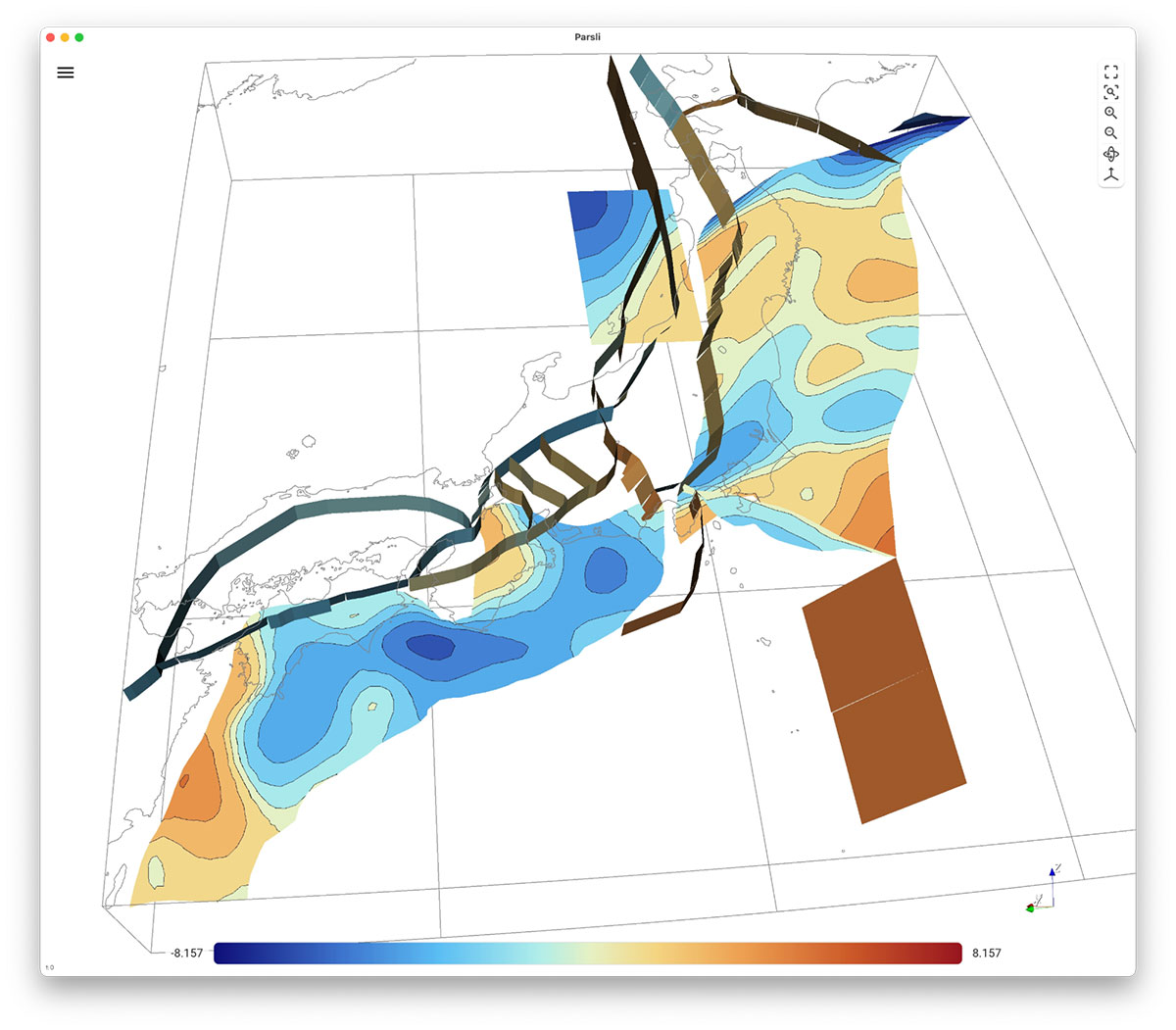
Parsli is a VTK-based viewer for fault system kinematics that enables rapid exploration and export of time-based animations. By leveraging advanced 3D graphics, interactive visualization, and high performance, we’ve transformed a workflow that once took days into one that now takes minutes—or even seconds—for initial validation and analysis. Its ease of use and installation has also encouraged the community to revisit past runs, uncovering phenomena that previously slipped through the cracks of the previous toolchain.
Frameworks used: Trame, VTK
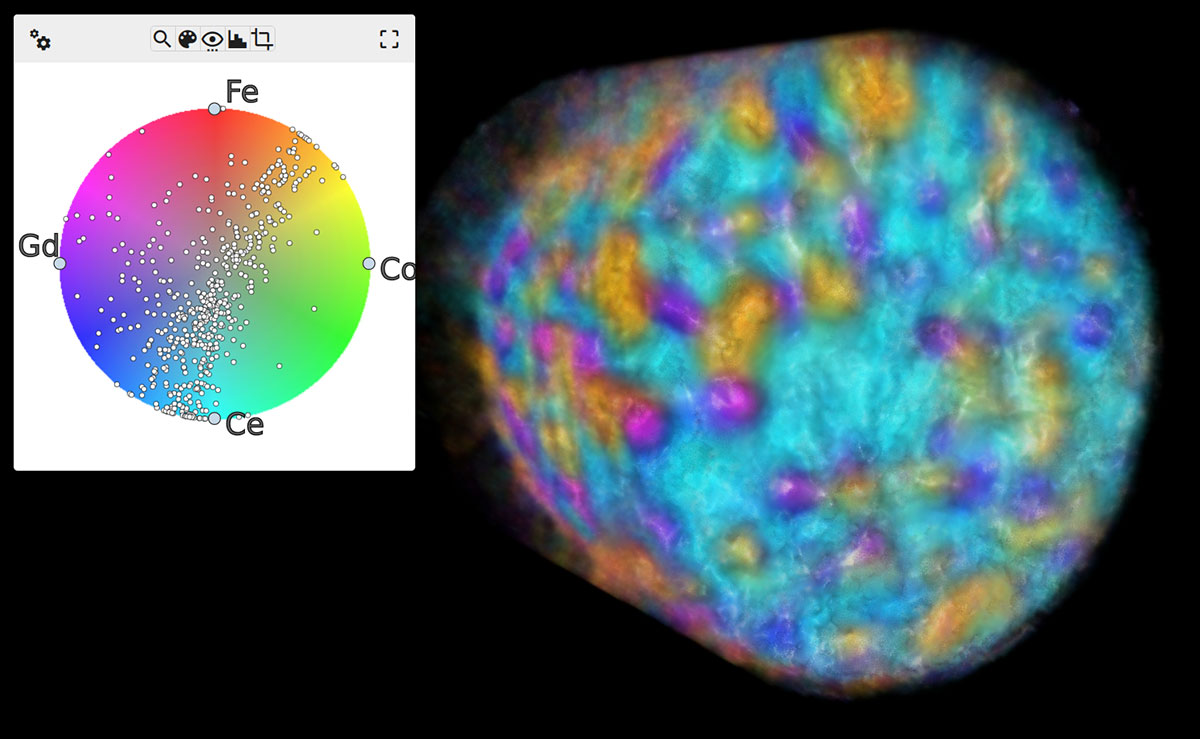
Visualizing and exploring multivariate/multimodal volumes, common in material modeling and medical simulations, demands innovative techniques. These techniques are crucial for revealing significant trends and effectively communicating discoveries to both domain experts and general audiences. As an example, the accompanying figure presents an x-ray fluorescence tomography dataset of a mixed ionic-electronic conductor (MIEC), analyzed using Kitware’s MultivariateView tool.
Frameworks Used: trame, VTK
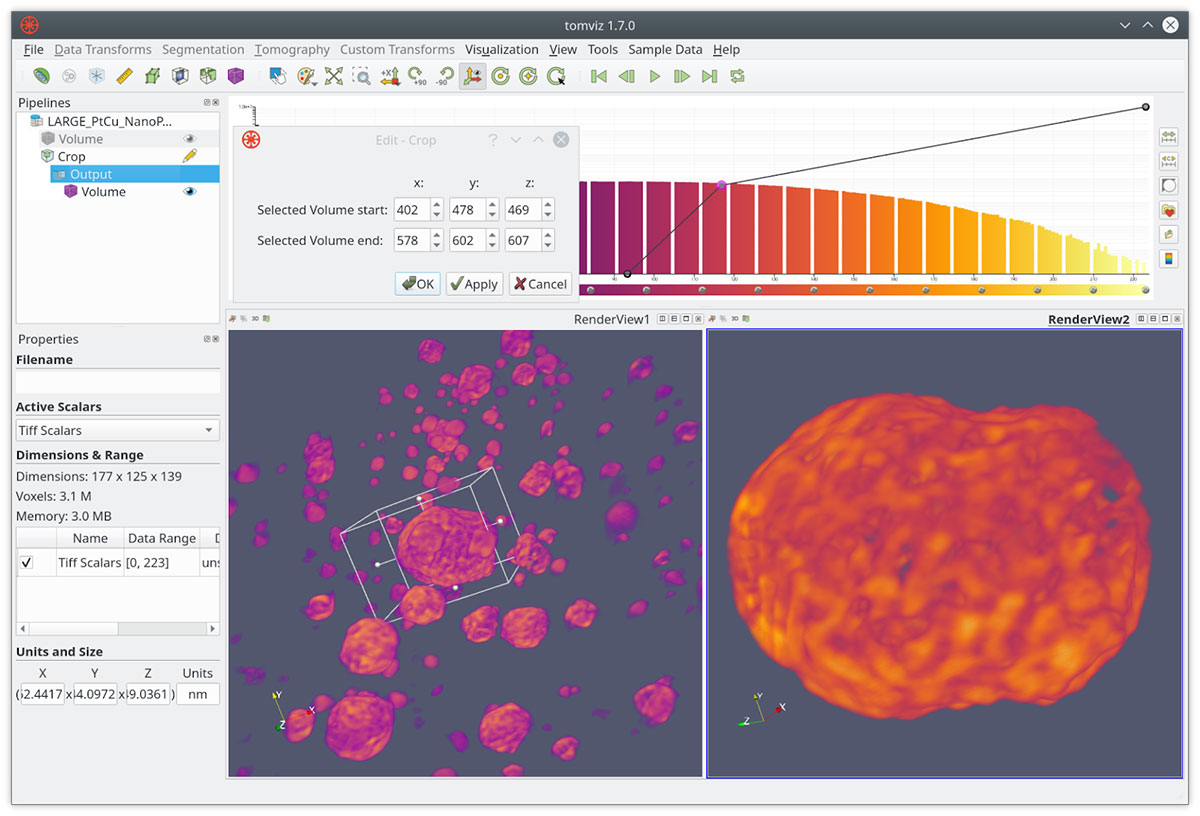
High-resolution 3D characterization is crucial for workflows in materials science and nanoscience. This requires advanced image processing, data analysis, visualization, and reproducibility. Integrating these features into a single environment streamlines the entire research pipeline, from raw data to publication-quality 3D renderings. Furthermore, incorporating capabilities like Python scripting and custom extensions expands its applicability to diverse workflows. Tomviz is an example that offers visualization, processing, and analysis for tomographic data. The image above from Tomviz demonstrates drawing a cropping region around 3D reconstructed PtCu nanoparticles, known for their effectiveness as fuel cell electrocatalysts.
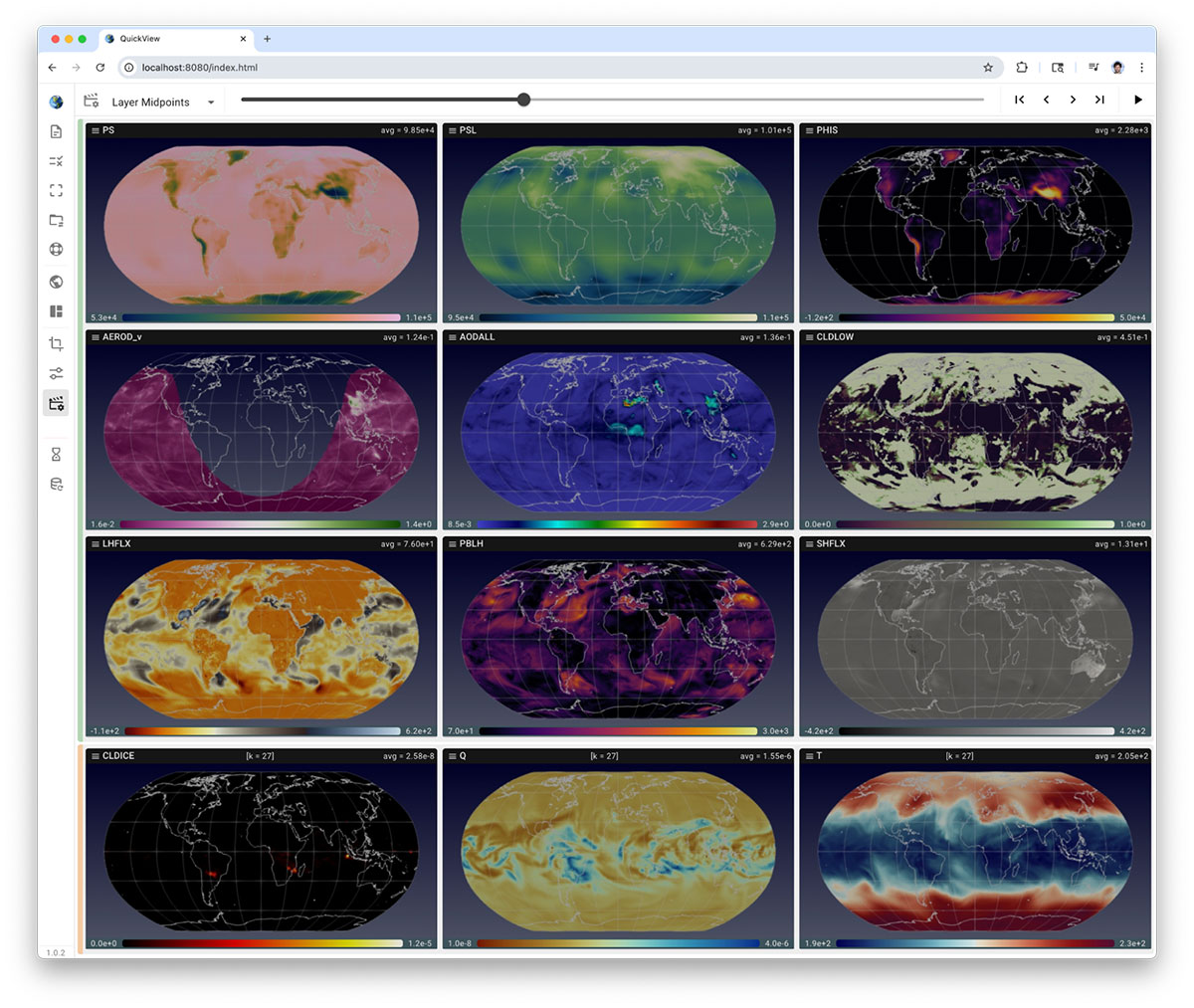
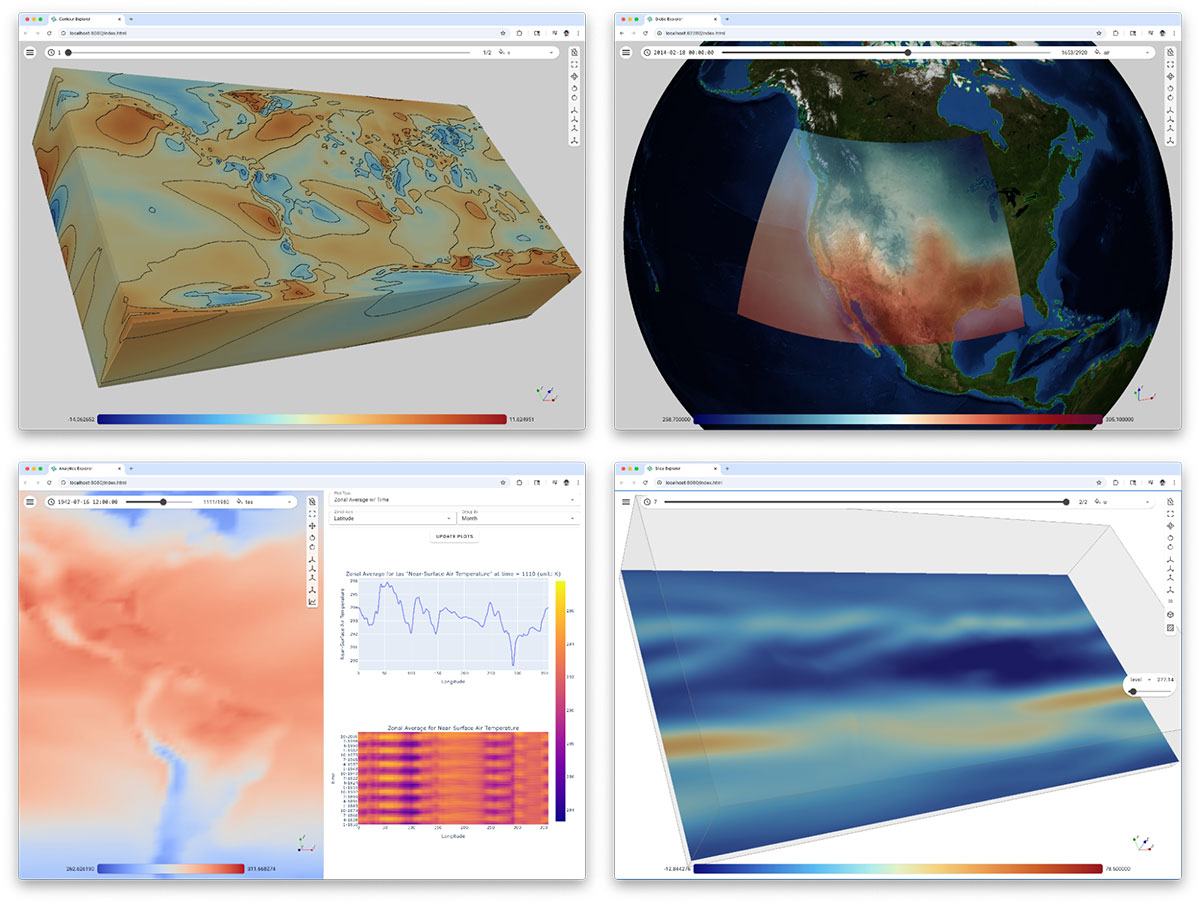
QuickView is a Trame + ParaView-powered tool for exploring atmospheric output from the E3SM Atmosphere Model (EAM). It provides an intuitive, no-scripting interface for multivariate visualization, model validation & verification and supports EAM v2, v3 (and in development v4) data formats – which simplifies the atmosphere modeling and analysis workflows.
Pan3D is a fast, highly interactive visualization tool for Xarray datasets — a standard format for large, multidimensional arrays in climatology and other geospatial fields. Built on Trame and VTK, it leverages seamless interoperability between VTK and Xarray for efficient data exchange. A defining feature of Pan3D is its collection of Explorers (pictured above): lightweight, task-focused analysis apps that cut through the clutter of traditional, full-featured visualization tools such as ParaView. These explorers enable teams to craft bespoke, purpose-driven solutions, fostering collaboration and clear role separation.
Platforms: VTK and trame
In collaboration with NASA and the University of Colorado Boulder, Kitware is expanding the Catalyst in situ analysis platform to enable powerful AI models to access simulation data in memory at runtime for advanced model training and inference to improve upon existing simulation results. This approach empowers existing, validated simulation codes to leverage modern AI tools without complex and costly code integrations.
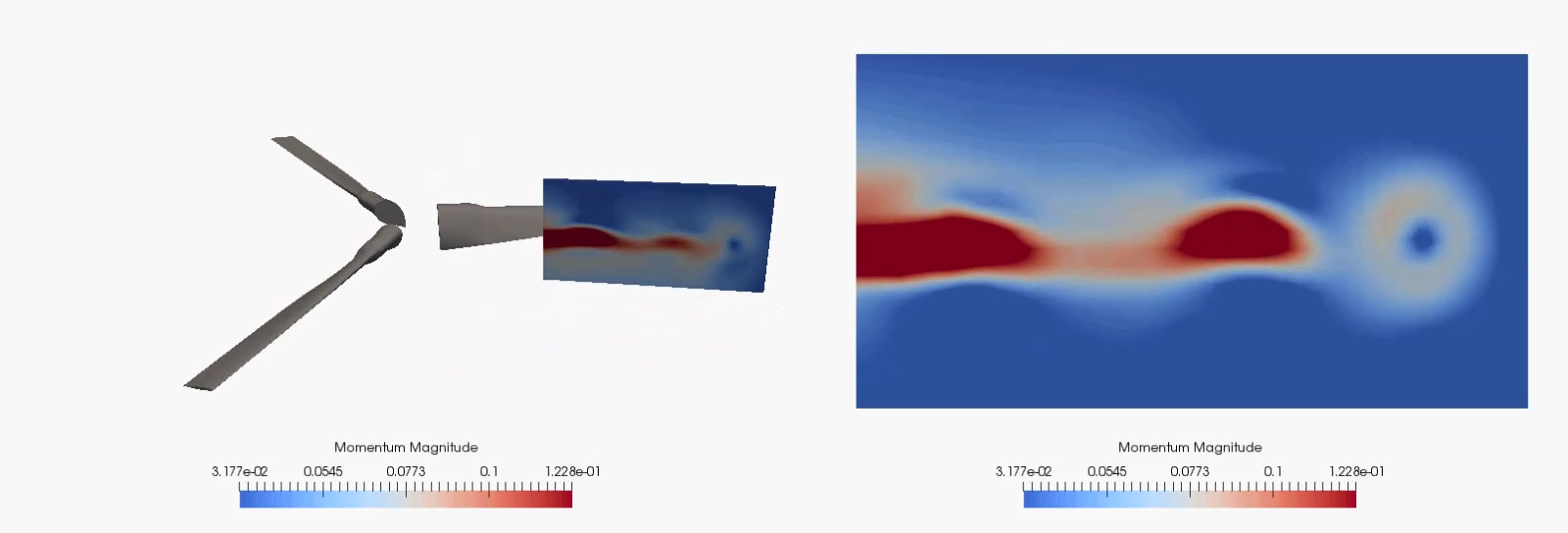
Rotorcraft simulation workflows present a complex, multidisciplinary challenge, as they necessitate the integration of moving-body aerodynamics with structural dynamics for rotor blade deformation, and vehicle flight dynamics and controls. Furthermore, the extensive data generated during a rotorcraft CFD simulation, stemming from numerous timesteps, can be substantial.
By incorporating in situ capabilities directly into the simulation workflow, developers and analysts can scrutinize crucial variables at each timestep, thereby avoiding the significant overhead associated with I/O and storage. This methodology not only optimizes HPC resource utilization but also facilitates real-time steering, swift validation, and more insightful diagnostics during protracted simulations. The accompanying images illustrate this approach using CREATE’s HELIOS framework, which leverages ParaView Catalyst for in situ visualization and analysis.
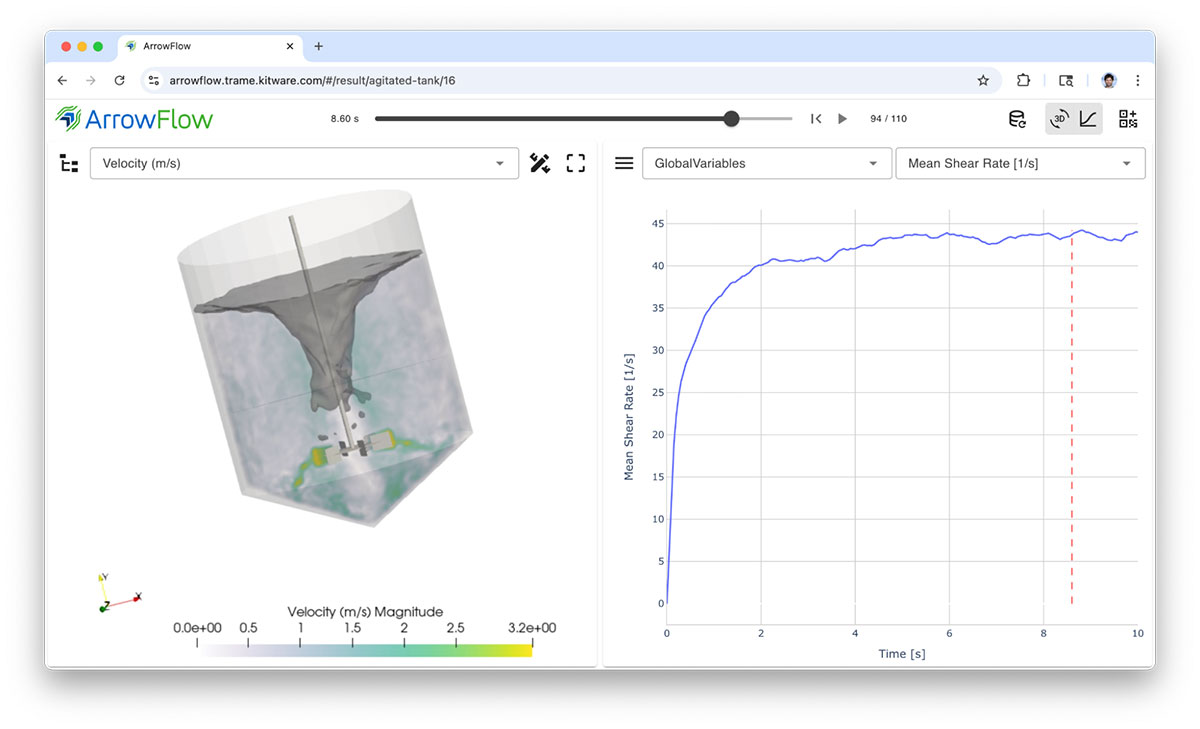
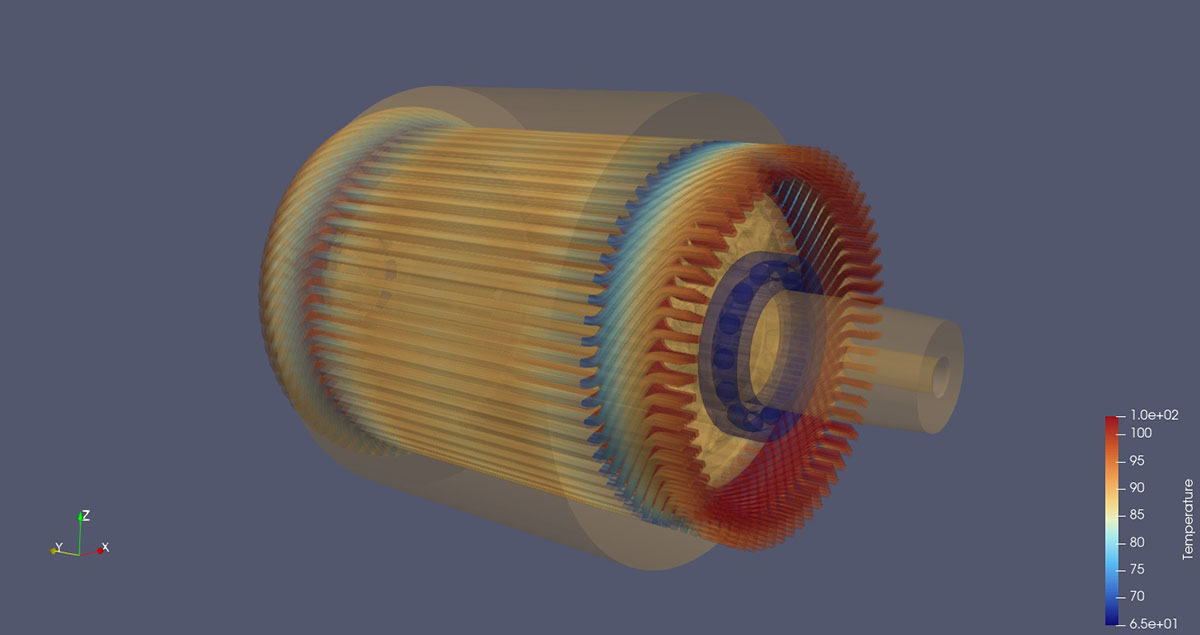
ArrowFlow, focuses on broadening simulation usage by allowing domain scientists to easily create templates and expose them to remote engineers. Its curated web interface for input simulation parameters and easy to use post-processing tools enables quick exploration for validation of settings to use with factory mixer, drier or any machinery setup into the system. ArrowFlow relies on M-Star CFD™ for its solver and ParaView for its post-processing. Trame is exposing templates, solver and post-processing visualization in an easy to use solution.
Frameworks used: Trame, ParaView
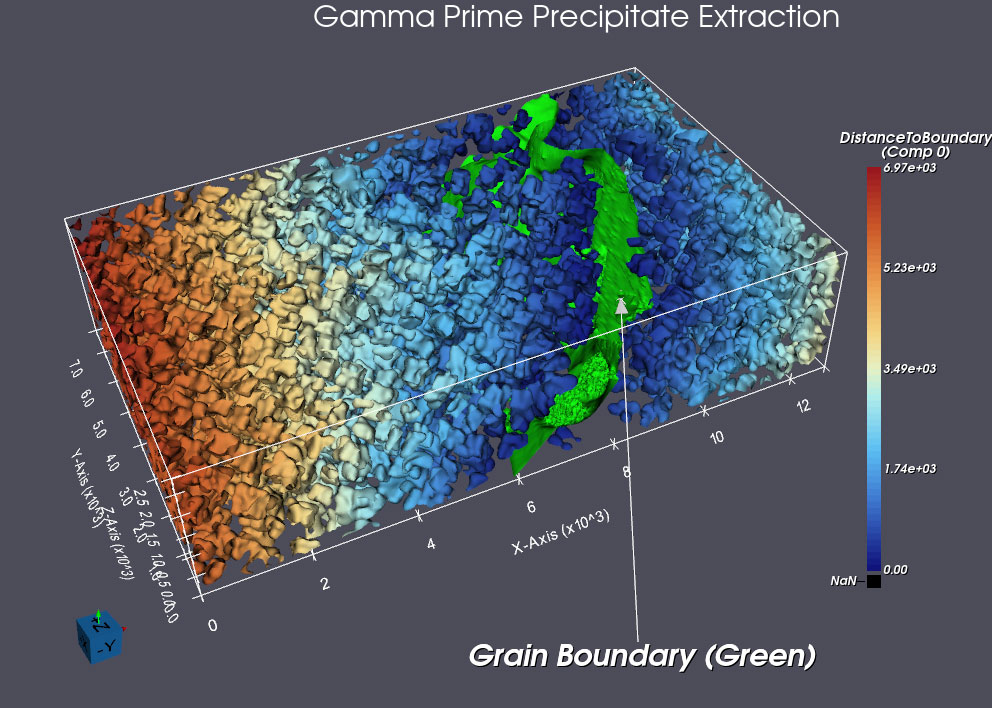
Displaying complex microstructural data is an integral part of many material science workflows and enables researchers to explore and understand the intricate geometries and properties of materials. This integration is crucial for analyzing simulated and experimental data, facilitating insights into material behavior, and accelerating the discovery of new materials with desired characteristics. The above image shows 3D precipitate morphology from a nickel based superalloy. Reconstruction was performed by DREAM3D-NX and subsequently visualized within DREAM3D-NX using VTK to provide advanced 3D rendering and visualization capabilities essential for material science research.
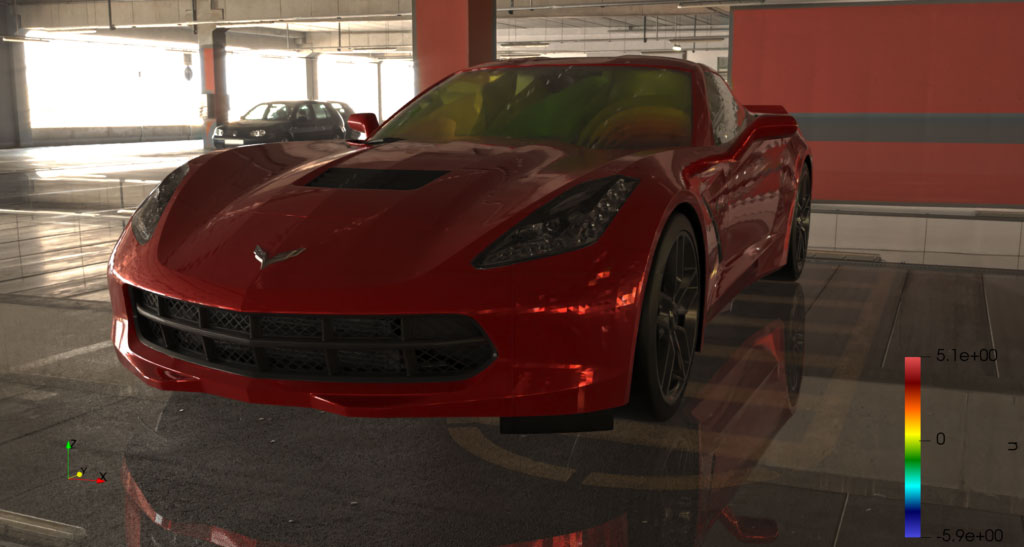
Acoustic modal analysis of a car cabin by Undabit Acoustic Simulations. Identifying vibration modes that may impact acoustic properties is crucial, as acoustic resonances can amplify noise generated by the engine, a phenomenon often referred to as “booming.” Understanding the frequencies at which resonance occurs and the spatial distribution of the resonant field is essential. Visualization with ParaView’s advanced ray-tracing capabilities. Source: Automotive Acoustic Simulation Post-processing with ParaView
[ Training Learn how to confidently use and customize 3D Slicer from the expert developers at Kitware. |  Support Our experts can assist your team as you build your application and establish in-house expertise. |  Custom Development Leverage Kitware's 25+ years of experience to quickly build your application. |
Tags:
Artificial Intelligence | Catalyst | Conference | Data Analysis | HPC | In Situ | ParaView | Scientific Computing | Simulation | Simulation Workflows | SMTK | Supercomputing | Trame | Visual Workflows