Appearance
MVVM Pattern
The MVVM (Model-View-ViewModel) pattern is a software architectural design pattern that separates an application into three interconnected components: the Model, the View, and the ViewModel. This separation facilitates code organization, improves testability, and makes it easier to maintain and expand applications.
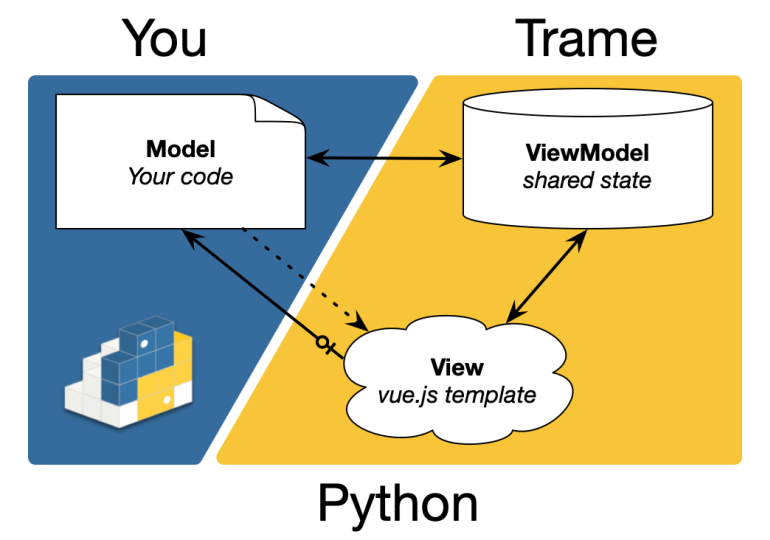
The split
- Model
- Your business (trame does not care)
- ViewModel
- Reactive data model that drives the presentation layer
- The Model can react to changes and modify it
- The View reflect its state and can modify it
- View
- Present the ViewModel into a graphical form
- The Model can connect actions to events (click, mouse)
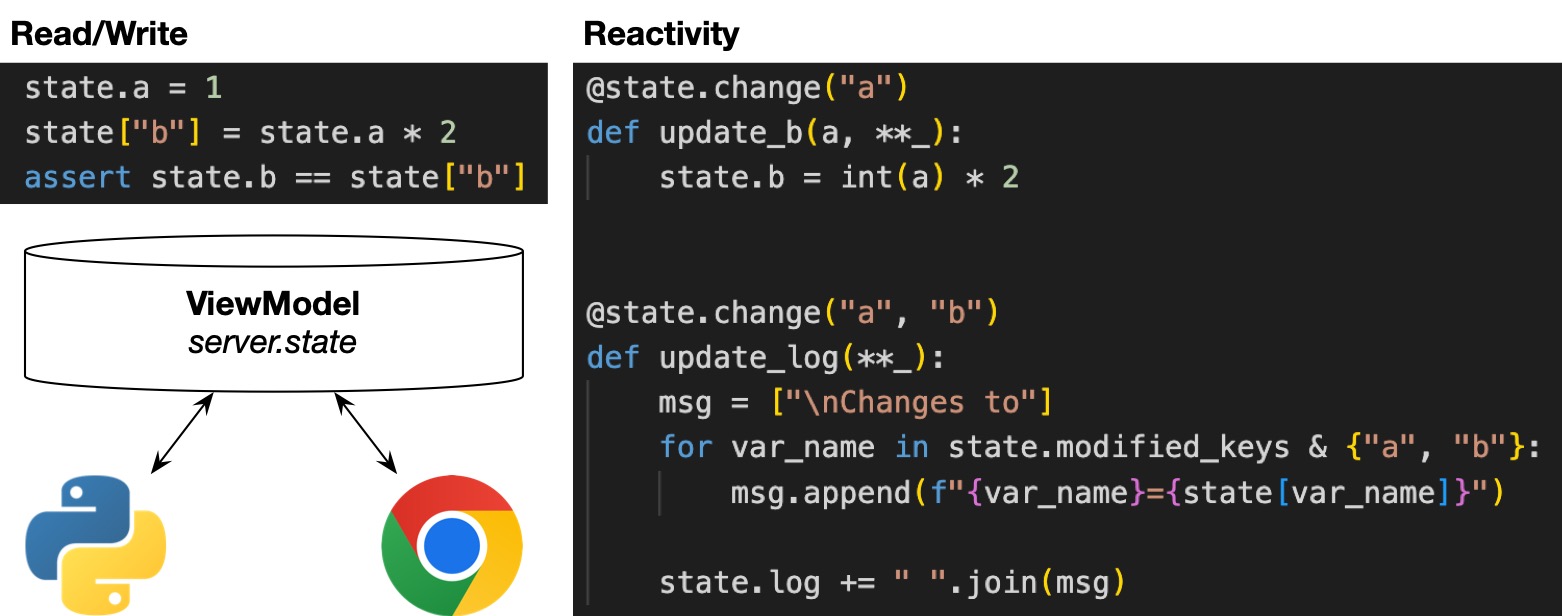
ViewModel
Dictionary like structure to store data to present in the view. The data needs to be serializable.
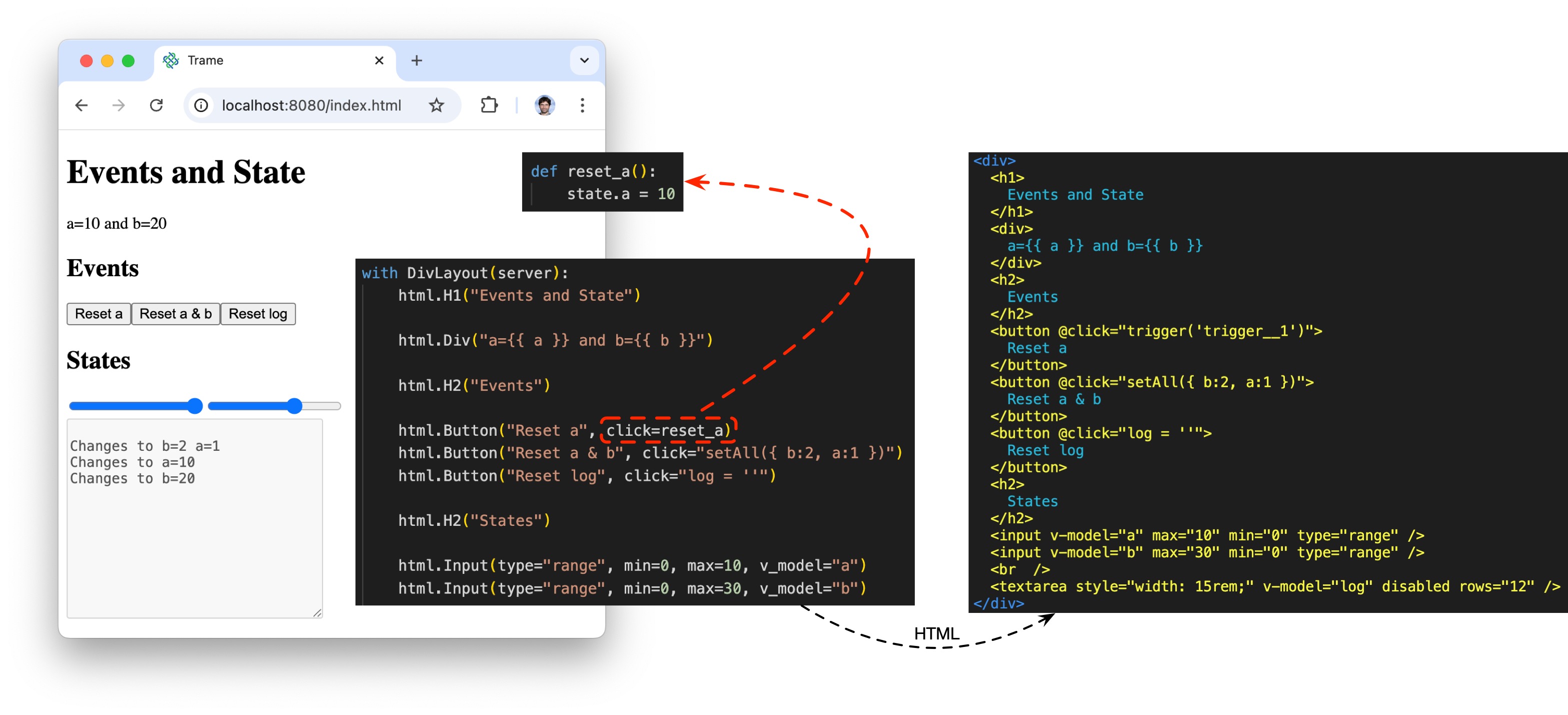
View
Template language (html/vue) in Python to ease data and event binding.
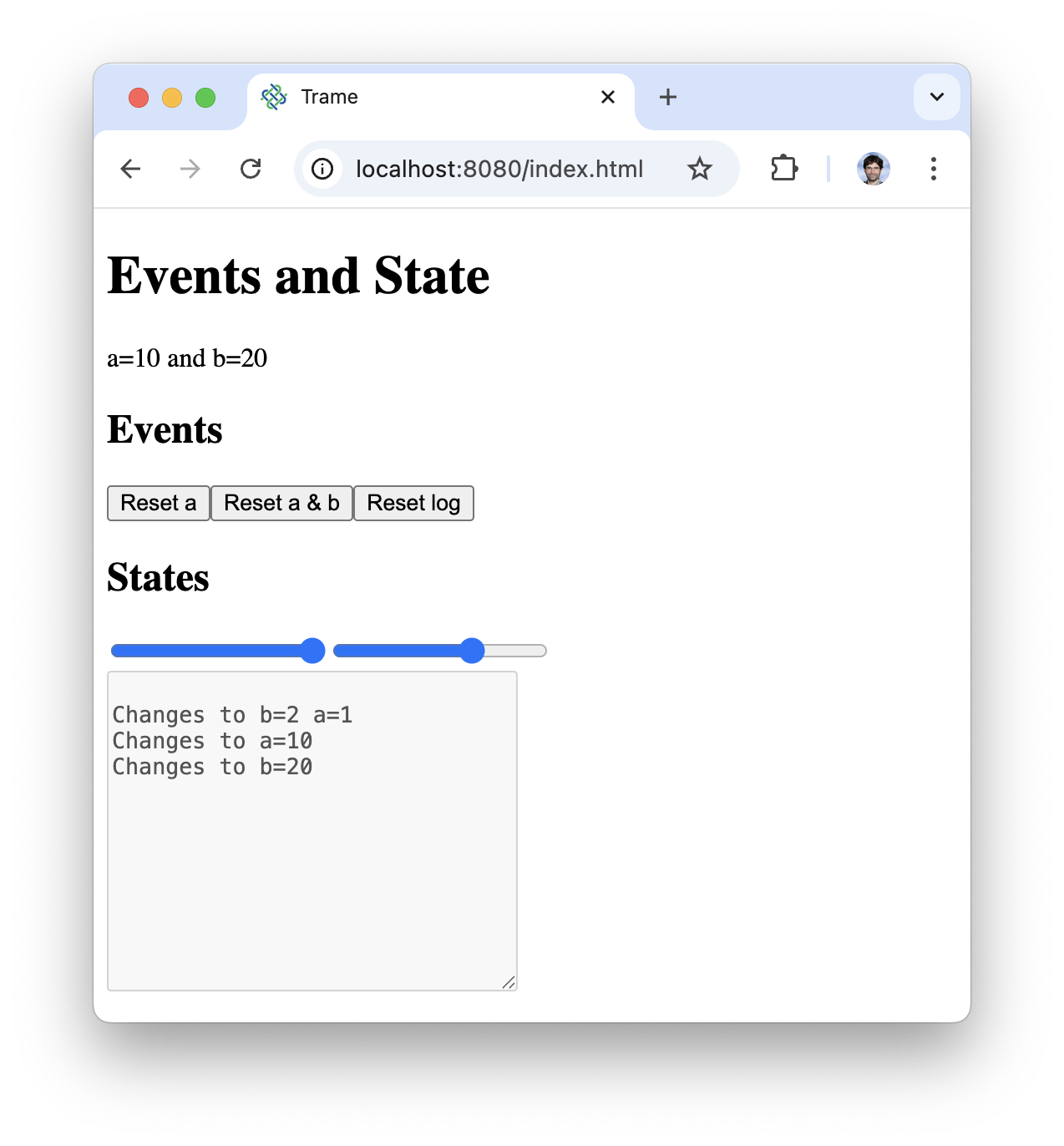
Full application
py
from trame.app import get_server
from trame.widgets import html
from trame.ui.html import DivLayout

# Trame setup -----------------------------------------------------------------
server = get_server()

# ViewModel -------------------------------------------------------------------
state = server.state

# Read/Write
state.a = 1
state["b"] = state.a * 2
assert state.b == state["b"]


# Reactivity
@state.change("a")
def update_b(a, **_):
    state.b = int(a) * 2


@state.change("a", "b")
def update_log(**_):
    msg = ["\nChanges to"]
    for var_name in state.modified_keys & {"a", "b"}:
        msg.append(f"{var_name}={state[var_name]}")

    state.log += " ".join(msg)


@state.change("log")
def trim_log(log, **_):
    lines = log.split("\n")
    if len(lines) > 10:
        state.log = "\n".join(lines[-10:])


# Model ----------------------------------------------------------------------
def reset_a():
    state.a = 10


# View ------------------------------------------------------------------------
with DivLayout(server):
    html.H1("Events and State")

    html.Div("a={{ a }} and b={{ b }}")

    html.H2("Events")

    html.Button("Reset a", click=reset_a)
    html.Button("Reset a & b", click="setAll({ b:2, a:1 })")
    html.Button("Reset log", click="log = ''")

    html.H2("States")

    html.Input(type="range", min=0, max=10, v_model="a")
    html.Input(type="range", min=0, max=30, v_model="b")

    html.Br()

    html.Textarea(
        v_model=("log", ""),
        disabled=True,
        rows=12,
        style="width: 15rem;",
    )

# Start Server ----------------------------------------------------------------
server.start()
py
from trame.app import get_server
from trame.widgets import html
from trame.ui.html import DivLayout
py
from trame.app import get_server
from trame.widgets import html
from trame.ui.html import DivLayout
# Trame setup -----------------------------------------------------------------
server = get_server()
# ViewModel -------------------------------------------------------------------
state = server.state
py
from trame.app import get_server
from trame.widgets import html
from trame.ui.html import DivLayout
# Trame setup -----------------------------------------------------------------
server = get_server()
# ViewModel -------------------------------------------------------------------
state = server.state
# Read/Write
state.a = 1
state["b"] = state.a * 2
assert state.b == state["b"]
# Reactivity
@state.change("a")
def update_b(a, **_):
state.b = int(a) * 2
@state.change("a", "b")
def update_log(**_):
msg = ["\nChanges to"]
for var_name in state.modified_keys & {"a", "b"}:
msg.append(f"{var_name}={state[var_name]}")
state.log += " ".join(msg)
@state.change("log")
def trim_log(log, **_):
lines = log.split("\n")
if len(lines) > 10:
state.log = "\n".join(lines[-10:])
# Model ----------------------------------------------------------------------
def reset_a():
state.a = 10
py
from trame.app import get_server
from trame.widgets import html
from trame.ui.html import DivLayout
# Trame setup -----------------------------------------------------------------
server = get_server()
# ViewModel -------------------------------------------------------------------
state = server.state
# Read/Write
state.a = 1
state["b"] = state.a * 2
assert state.b == state["b"]
# Reactivity
@state.change("a")
def update_b(a, **_):
state.b = int(a) * 2
@state.change("a", "b")
def update_log(**_):
msg = ["\nChanges to"]
for var_name in state.modified_keys & {"a", "b"}:
msg.append(f"{var_name}={state[var_name]}")
state.log += " ".join(msg)
@state.change("log")
def trim_log(log, **_):
lines = log.split("\n")
if len(lines) > 10:
state.log = "\n".join(lines[-10:])
# Model ----------------------------------------------------------------------
def reset_a():
state.a = 10
# View ------------------------------------------------------------------------
with DivLayout(server):
html.H1("Events and State")