Use cases
What would you use Tack for? Here are six jobs it does well. Each section says why Tack is good at the job, gives a measured result where one exists, and links to the pages that show how. The front page describes Tack as a whole.
Analyze simulation output on the GPU you have
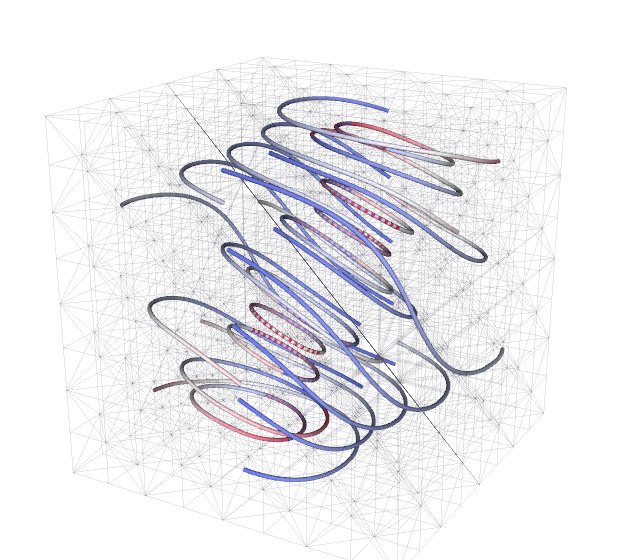
Tack's filters run on NVIDIA, AMD, Intel and Apple GPUs, and on the CPU, from the same Python script. Only the device changes: VTK reads the file, Tack filters it on the device, and VTK or ParaView draws the result. You need no build for your GPU and no second version of your script.
On an Apple M1 Max, Tack's filters on the Metal GPU are 1.5 to 154 times faster than VTK's on the CPU, on every filter compared but one. On an NVIDIA RTX 6000 Ada, Tack's filters on CUDA are 11 to 2,269 times faster than VTK's on 28 CPU threads. On real simulation data on the M1 Max's CPU, Tack computes the ONERA M6 wing's pressure gradients 14.6 times faster than VTK, and a wildfire simulation's gradients 33 times faster (performance).
To do it, see the visualization layer's first page, VTK for reading and drawing data, and choose a device.
Run filters in situ, on a simulation's own arrays
A filter that runs inside a simulation, on its memory while it runs, is in
situ. Tack works on a simulation's arrays where they already are. On the CPU
or a GPU, tack.array_from_ptr wraps an existing allocation, and
tack.from_dlpack takes a tensor from PyTorch, CuPy or any other library that
speaks DLPack. Neither copies. A field made from such an array is read by
every filter in place.
import numpy as np
import tack
import tack.dataset as td

tack.set_default_device("cpu")

data = td.uniform_grid((33, 33, 33), origin=(0, 0, 0), spacing=(1 / 32, 1 / 32, 1 / 32))
temperature = np.zeros(data.num_points, dtype=np.float32)    # the simulation's own array
values = tack.array_from_ptr(temperature, temperature.shape, tack.f32)
data.fields["temperature"] = td.Field(td.H1(data), values)

temperature[:] = data.positions()[:, 0]          # the simulation writes a step
surface = td.contour(data, "temperature", 0.5)   # Tack reads the same memory
assert np.allclose(surface.positions()[:, 0], 0.5)
On CUDA, Tack works in the same GPU context that PyTorch, CuPy and NVIDIA Warp use, so the libraries take turns on one device without switching. With Warp, Tack exchanges whole datasets with NVIDIA's warp-simdata, sharing most of their arrays. A simulation in pieces over MPI ranks keeps its pieces, and Tack runs over the same ranks. No in situ run has been timed for these pages yet.
To do it, see share arrays, connect a simulation's data and MFEM, Warp and others.
Write your own visualization algorithm in Python
Tack's built-in filters are written with the same public pieces you use. A
kernel of your own visits a mesh's cells, faces or points with for_each, and
reads them through views, which give a cell's points and their positions, and
a field's value anywhere inside a cell. carry then moves fields, ghost marks and ids from the
input to your output, as the built-in filters do. Your algorithm is a Python
function, so it runs on every device and needs no build.
The built-in filters show what this gives. They are Tack kernels written in Python, and on an NVIDIA RTX 6000 Ada they are ahead of Viskores' C++ filters on 13 of the 14 compared, by up to 5.4 times (performance). One of the documentation's examples rewrites six built-in filters with public names only, and checks each result against the built-in's.
To do it, see views, write a mesh algorithm and write a filter.
Work with higher-order and finite-element data
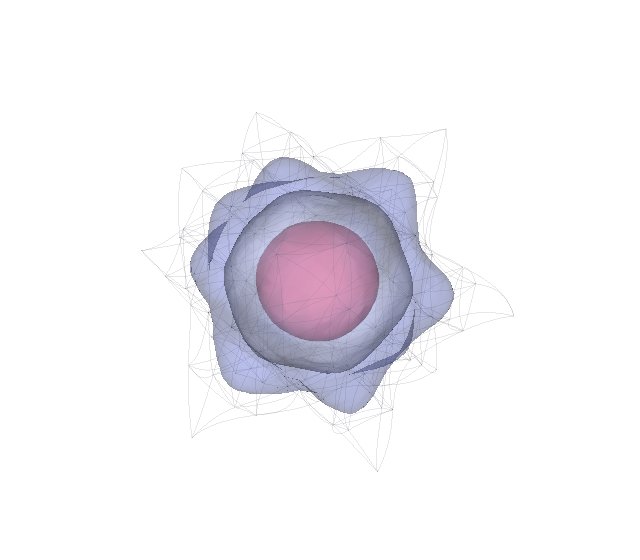
Finite-element codes store fields as polynomials inside each cell, often on
curved cells. Tack keeps such data as it is. A field is continuous (H1) or
discontinuous (L2) of any order, in a Lagrange, Bernstein or serendipity
basis, on a geometry that may itself be curved. Filters work on the field
itself. A contour or slice cuts each cell on sub-cells and places every
crossing on the polynomial, so nothing is resampled onto a linear mesh first.
Tack reads MFEM meshes and solutions, and VTK's Lagrange and Bézier cells. The pictures in the MFEM gallery are MFEM's examples run through Tack. Tack's values there are checked against MFEM's own: values at random points in every element, gradients, the jumps of DG fields across faces, and integrals.
To do it, see higher-order and finite-element data and MFEM, Warp and others.
Process big data in pieces, over MPI ranks
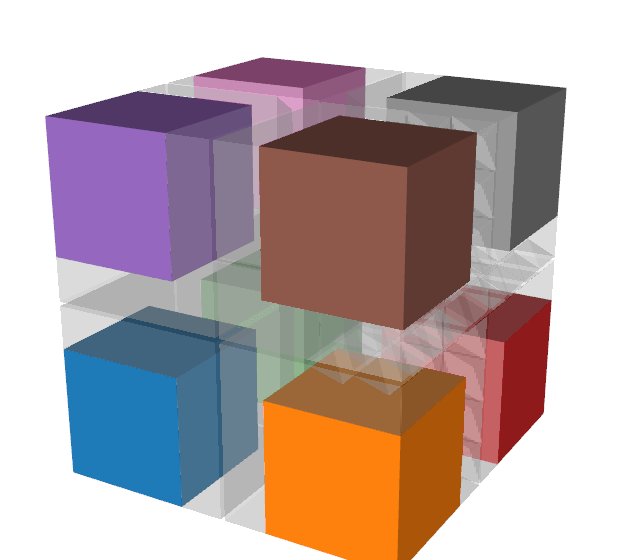
A dataset too large for one device is split into pieces, one or more on each device or MPI rank. Tack's filters run on each piece. Tack adds layers of ghost cells, numbers points and cells across pieces with global ids, and gathers pieces into one. Statistics, connected regions and streamlines work across pieces. With ghost cells in place, each piece's output is exactly its share of the output for the whole dataset. The same script runs in one process and on many ranks.
On 512 pieces of a simulation's output, numbering every point and cell takes 9.0 s against VTK's 10.4 s, and a layer of ghost cells 28.7 s against VTK's 27.3 s (performance). One limit: ghost cells do not yet carry continuous fields above order 1.
To do it, see data in pieces, filters over pieces and run under MPI.
Compute on GPUs in Python, beyond visualization
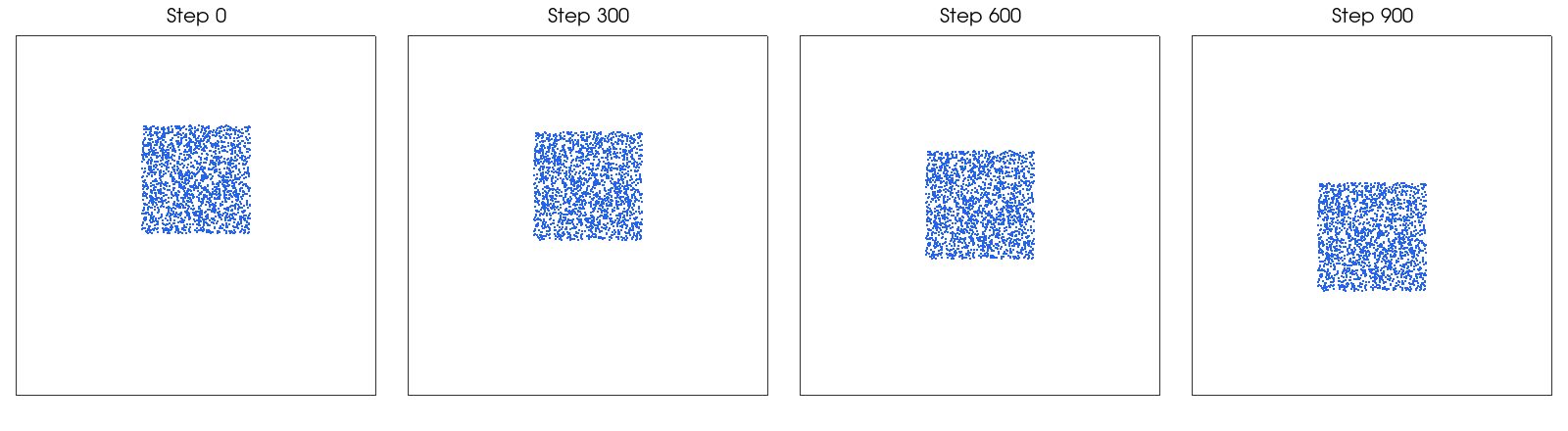
Tack's core is a general programming model, and the visualization layer is one program written on it. You can write simulations, image processing or data analysis the same way. Kernels hold vectors and small matrices. Device classes let one kernel serve many data structures. Scans, sorts and segmented reductions are ready to use, and arithmetic follows one contract on every backend. The examples include heat diffusion, a particle-to-grid (MPM) simulation and tiled n-body forces, each checked against an independent reference.
Every filter on the performance page is built from these same kernels, scans and sorts.
To do it, see the core's first page, reductions, scans and sorts and the core's examples.
Where to go next
- Install gets Tack running on your device.
- What Tack is describes the four layers and what Tack leaves to other software.