Saving Images 
In addition to saving the state of the current session so that the analysis can be resumed later, QuickView provides three ways for the user to save the visualization as images or animations for presentations and manuscripts, etc.:
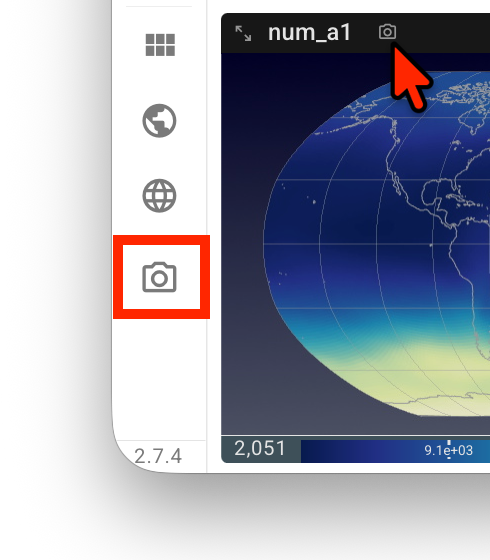
A click on the camera icon at the end of the vertical toolbar saves the entire viewport—in its current layout—to the local computer as
Viewport.png.A click on the camera icon next to the variable name inside a view panel saves that single view as a
.pngfile. The file name starts with the variable name; dimension names and indices are appended when relevant. For example,aero_tau_sw-lev-71-swband-00.pngis an image of variableaero_tau_swatlevindex 71 andswbandindex 0.Let us assume the user has been inspecting 4 variables along the
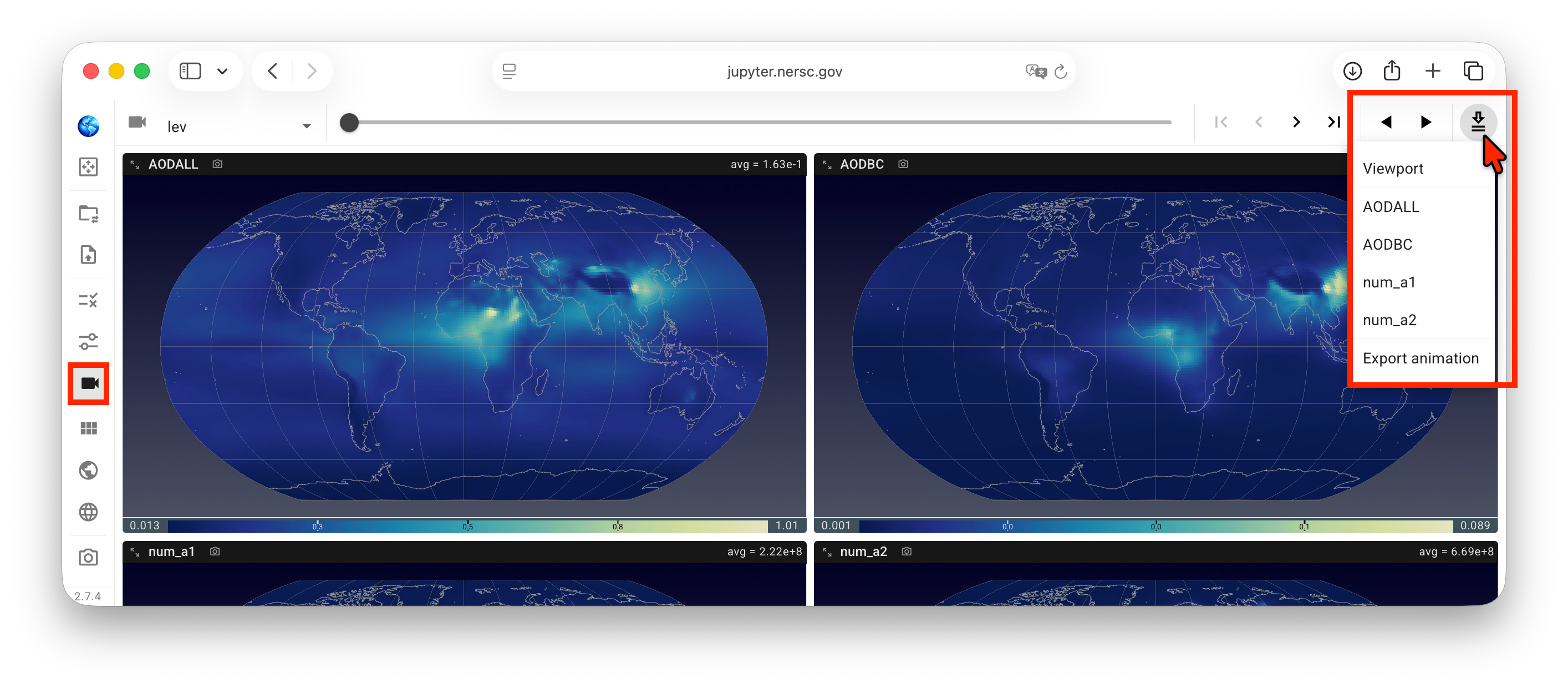
levdimension, as depicted by the screenshot here. To export animations showing how these variables change in that dimension, the user can click on the icon on the right end of the animation control panel, i.e., the downward arrow with two lines, to bring up a drop-down menu and then click to selectViewportand/or individual variables. Subsequently, a click onExport animationtriggers QuickView to scan through the indices in thelevdimension, with a dark-red circle spinning around the download button while the scan is in progress. After the scan is finished, a filequickview-animation.zipgets downloaded to the local computer. This file is a zipped folder that may contain multiple files.
Note: as of version 2.6.1, the animation export downloads images of individual frames to the local computer, and the user needs to use a tool to combine the images into an animation (or animations). Direct download of animation files will be provided soon.

If the user clicks the animation download button again while the dark-red circle is still spinning, the click will end the scan. A .zip file will still be downloaded and will contain images from index 0 to the last index that QuickView has scanned.